

Booking website for repair and service businesses
Service pages, bookings, quotes and jobs in one place for trades and repair businesses.
What gets in the way
- Every job is priced differently, so a fixed price list does not work
- Bookings arrive by phone and get lost between the team
- Parts used on jobs are never taken off stock
- Customers ask for a price before you have seen the job



A time, a person, a booking.
A client books a facial on the website. The booking lands on the team calendar on Thursday at 14:00, with Sara, and on her Google Calendar.
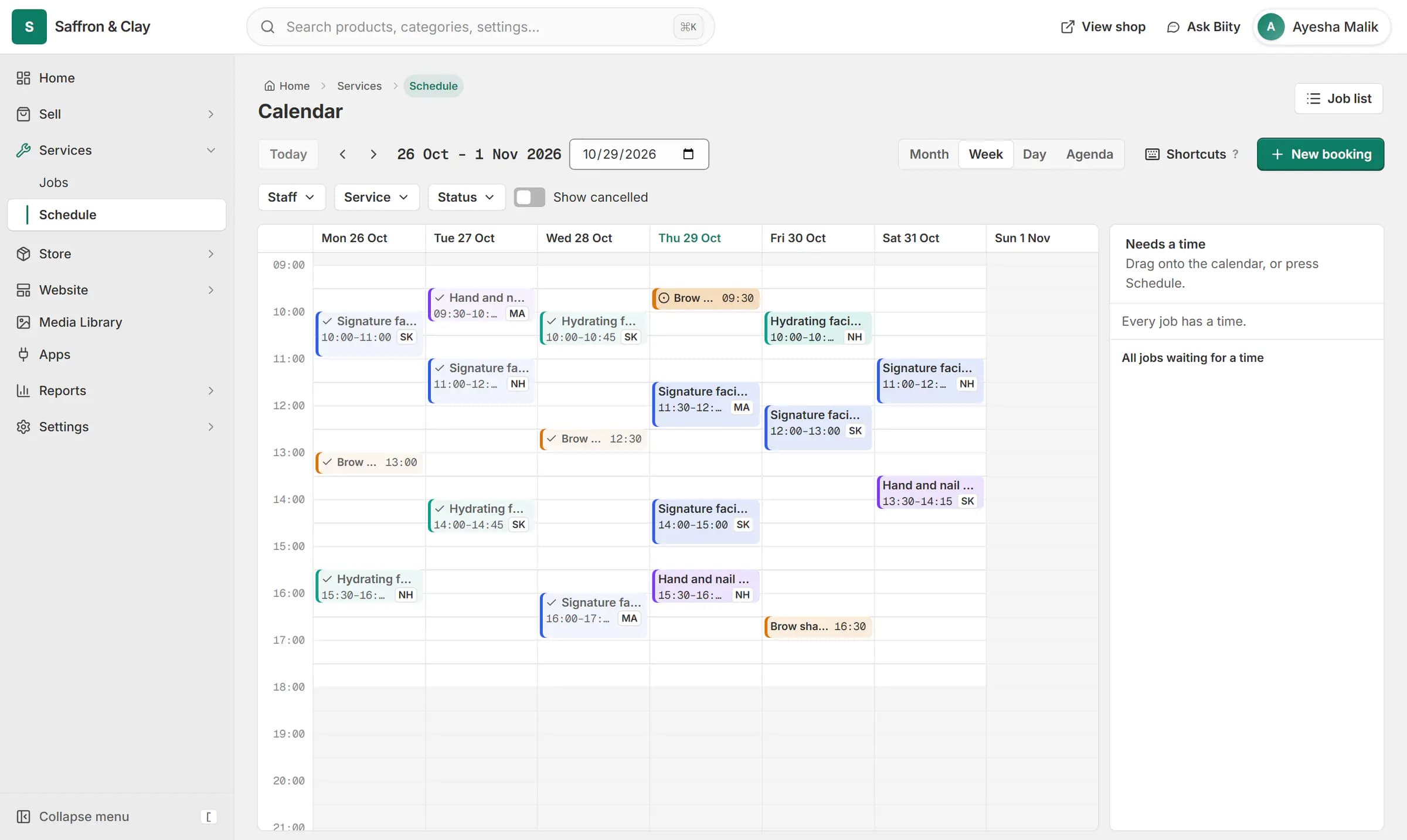
A client books a facial on the website. The booking lands on the team calendar on Thursday at 14:00, with Sara, and on her Google Calendar.

From the first call to a finished job
- The customer finds the serviceEach service has its own page with a description you write: what you do and where you work, in the words people type into Google.
- They book a time or ask for a quoteFixed and hourly services can be booked in your business hours, within the notice and advance-booking limits you set. Quoted services show no price; the customer requests a quote instead.
- The booking becomes a jobA booking, or an accepted quote turned into an order, creates a job. It appears on your calendar with the service address on it.
- Give it to the right personAssign the job to someone on your team and move it from scheduled to completed.
- Parts come off stockThe parts a service uses are taken off stock when the job is created, and put back if it is cancelled.
Price the way your work is priced
Some services have a set price, some are charged by the hour, and some can only be priced after a look. Biizay supports all three. A quoted service shows no price on your site; customers request a quote, you price it, and they accept online.
Bookings that respect your diary
Set your business hours once, in your own time zone, with gaps before and after each appointment and a cancellation window. Customers can only book times that fit, and your calendar shows every job by day and week.
Start a services website: 14-day Pro trial, no card needed
What you get
- FeatureSell services online: fixed, hourly or quotedServices with their own pages, priced fixed, hourly or by quote.
- FeatureJob tracking and materials for service businessesJobs for every service sold, with a status, an assignee and the parts used.
- FeatureSend quotations customers accept onlinePriced quotes emailed with an accept link, then turned into orders in one step.
- FeatureOnline booking and appointment schedulingCustomers choose a time when they book, and the work appears on your schedule.
- AppServices and jobs app for bookable workBookable services, jobs and the schedule, as one tool you can switch on or off.
- AppQuotations app: quote requests and quotesQuote requests from your shop and priced quotations, as one tool.
- FeatureRequest a quote button for products and servicesA one-step Request a quote form on product and service pages that lands in your portal.
- FeatureCheckout for service bookings, no delivery stepA shorter checkout for carts that contain only services.
- FeaturePoint of sale (POS) for small shopsRing up products, bundles and services at the counter from the same stock your shop sells.
- FeatureContact page with an enquiry form and inboxA contact page with a working form, and an inbox for every message it brings.
- FeatureEcommerce SEO built into every store pageTitles, descriptions, share images and structured data on every page, without plugins.
Learn it
- GuideSell services and take bookingsList the work you do, let customers book a time, and follow each job from booked to done.
- GuidePrice and send a quoteAnswer a quote request with your prices, and turn a yes into an order.
- SolutionQuote-only catalogue for B2B and medical suppliersA searchable catalogue with price on request, for suppliers who quote each buyer.
- SolutionOnline store for clothing and retail shopsOne stock, one portal for a clothing or retail shop selling online, on social media and at the counter.
- BlogBookings, quotes or WhatsApp: how should customers book your service?Online bookings, quote requests or WhatsApp: which suits a salon, repair or home-services business, and how to use each without missing a customer.
- BlogSelling services online: bookings, quotes and fixed pricesHow repair, salon, clinic and other service businesses can take bookings and quote requests online, and choose fixed, hourly or quoted pricing.
- BlogHow to make a quotation customers accept quicklyWhat to include in a business quotation, how to price and word it, validity and terms, and how to send and follow up so more quotes become orders.
Questions
Can I price some jobs only after an inspection?
Yes. Use quote pricing; customers request a quote and you send a price.
Can I assign jobs to my technicians?
Yes. Give each job to the technician doing it, with the service address on the job.
Can customers pick a time?
Yes, for services that need scheduling: only times inside your business hours and the notice period you set.
Can I take payment at the job?
Yes. A booking can be paid cash on delivery, or you can ring the work up on the point of sale and record cash or card. There is no card-terminal connection.
How do I start?
Create your store; every new store gets a 14-day Pro trial with no card needed, and you can pick a plan before it ends.
Open a store built for the way you work.
14-day Pro trial, no card. Everything is in the same account.