

Quotations app: quote requests and quotes
Take quote requests and send quotes
Quotations, built by BiizayLive
Quote requests from your shop and priced quotations, as one tool.
What it does
- Adds Quotations and the quotations pipeline report to your portal
- Shows Request a quote on product and service pages that need it
- Included on every plan
Turning it on
- In your Biizay portal, open Apps and choose Quotations.
- Turn it on. You can turn it off the same way at any time.
How it works
- Open AppsFind Quotations under Sell.
- Switch it onQuotations appears in your menu.
- Answer requestsPrice incoming requests and send quotes.
Quotations in your portal.
saffronandclay.pk/portal/quotations
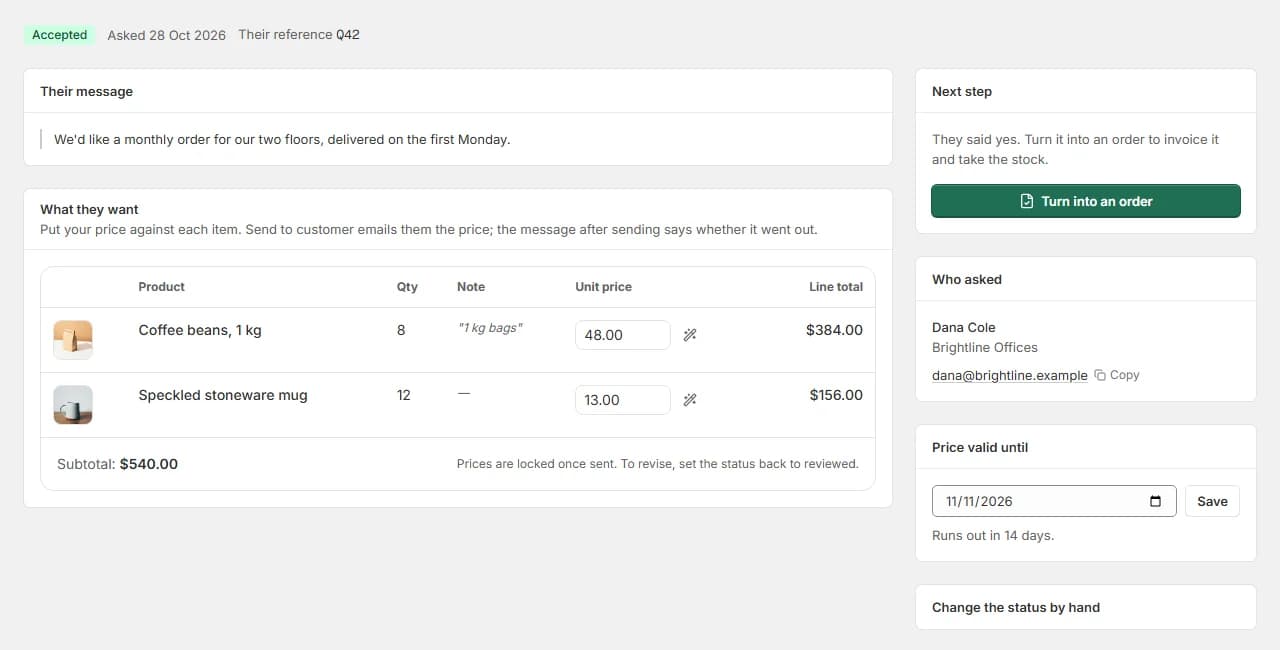
Quotations covers both directions: customers asking for a price, and you sending one back with an accept link.
Works with
- Send quotations customers accept onlinePriced quotes emailed with an accept link, then turned into orders in one step.
- Request a quote button for products and servicesA one-step Request a quote form on product and service pages that lands in your portal.
- Price on request: a quote-only B2B catalogueList real products without public prices, and take quote requests instead of orders.
- Quote-only catalogue for B2B and medical suppliersA searchable catalogue with price on request, for suppliers who quote each buyer.
- Booking website for repair and service businessesService pages, bookings, quotes and jobs in one place for trades and repair businesses.
Questions
Is it on every plan?
Yes.
Can customers still request quotes if it is off?
No. Quote requests need the Quotations tool on.
Try Quotations on your own store.
14-day Pro trial, no card. Everything is in the same account.