

Sell services, take bookings and run jobs
Fixed, hourly or quoted services, with bookings and jobs for your team.
List your services next to your products, each priced as a fixed fee, by the hour or by quote. Customers book a time without calling you, and a service checkout never asks them for a delivery address.
Every booking becomes a job your team can schedule and complete, and the materials a job uses come off the same stock count as everything else you sell.
A time, a person, a booking.
A client books a facial on the website. The booking lands on the team calendar on Thursday at 14:00, with Sara, and on her Google Calendar.
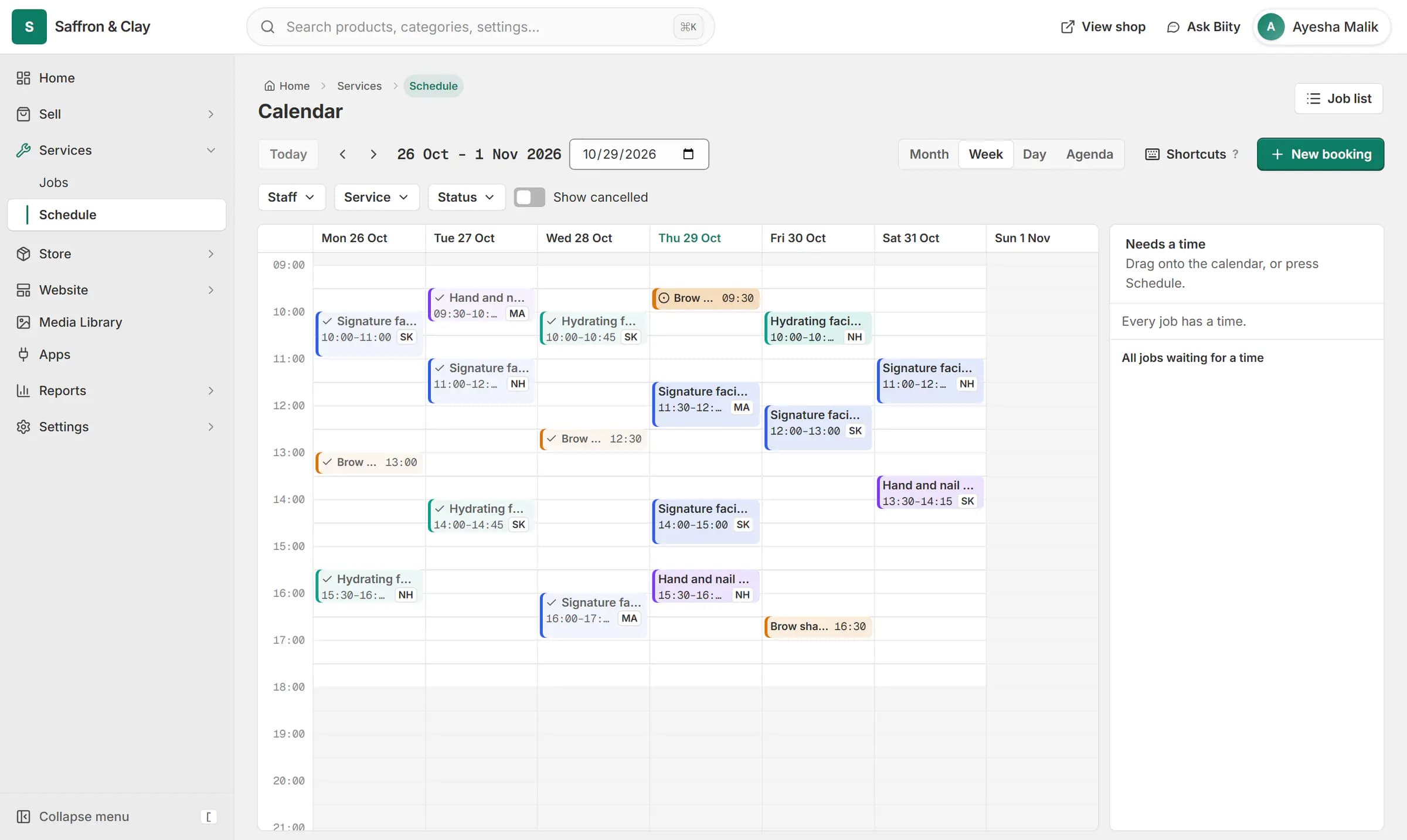
A client books a facial on the website. The booking lands on the team calendar on Thursday at 14:00, with Sara, and on her Google Calendar.

Everything in Sell services
Services
Put your services on sale next to your productsBookings and scheduling
Let customers book a time without calling youJobs and materials
Know who is doing which job and what it usedService checkout
Book a service without being asked for a delivery addressGoogle Calendar sync
See every booking in the calendar you already use
Go further with Sell services
Step-by-step guides
Apps that work with it
- Services and jobs app for bookable workBookable services, jobs and the schedule, as one tool you can switch on or off.
- Google Calendar app: bookings in your calendarBookings kept in step with your own Google Calendar, with optional Meet links.
- Quotations app: quote requests and quotesQuote requests from your shop and priced quotations, as one tool.
Sell services: common questions
Can I stop last-minute bookings?
Yes. Set a notice period on the service and earlier times are refused.
Can more than one customer book the same slot?
Set how many bookings a slot can take on each service.
Where do I see bookings?
On the Schedule page under Services, and as jobs in Jobs.
Does it work with my personal Gmail calendar?
Yes. You connect your own Google account and pick any calendar you can add events to.
What happens when a booking is cancelled?
The event is removed, or kept and marked Cancelled if you prefer.
Do I need the Services app?
Yes. Google Calendar works with bookings from Services & jobs.
Does a change in Google Calendar move the booking in Biizay?
No. Changes go from Biizay to Google. Reschedule in Biizay and the event follows.
Can I assign jobs to staff?
Yes. Each job can be assigned to a member of your team.
See it working on your own store.
14-day Pro trial, no card. Everything is in the same account.