

Job tracking and materials for service businesses
Know who is doing which job and what it used
Jobs for every service sold, with a status, an assignee and the parts used.
What it does
- A job is created for every service sold, online or at the counter
- Statuses: unscheduled, scheduled, in progress, completed, cancelled and no-show
- Assign a job to a team member and keep the service address on it
- Materials take stock off real products, either included in the price or billed on top
How it works
- List materialsOn a service, add the products it uses and whether they are included in the price.
- Run the jobSchedule it, assign it, and move it through its statuses.
- Stock followsMaterials come off stock when the job is created and come back if it is cancelled.
A time, a person, a booking.
A client books a facial on the website. The booking lands on the team calendar on Thursday at 14:00, with Sara, and on her Google Calendar.
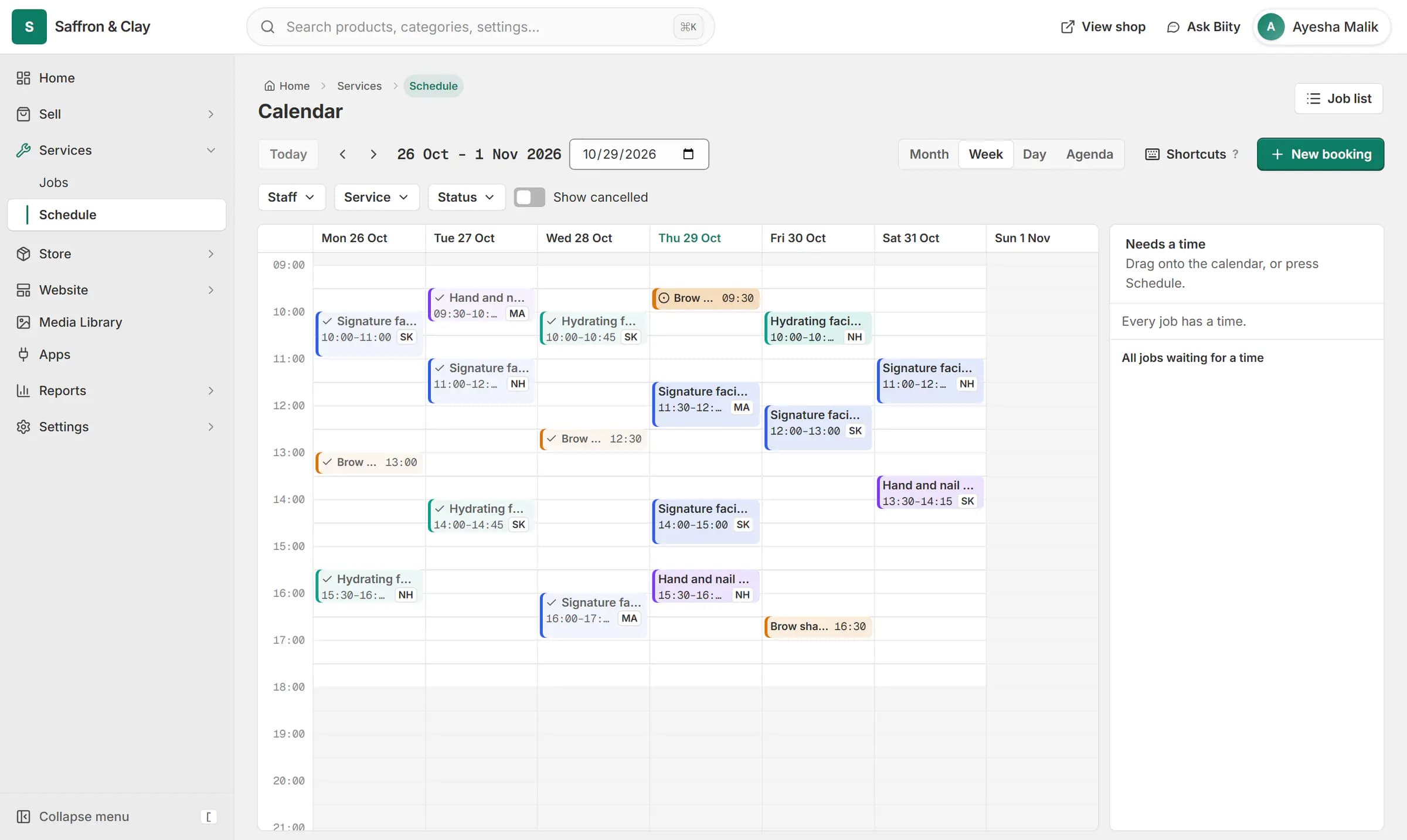
A client books a facial on the website. The booking lands on the team calendar on Thursday at 14:00, with Sara, and on her Google Calendar.

Included or billed on top
An included material is already in the service price: it moves stock but adds nothing to the bill. A billed material appears as its own line on the order. Either way your stock count stays honest.
Cancelling a job, or the order it belongs to, returns its materials exactly once.
Works with
- Sell services online: fixed, hourly or quoted | BiizayServices with their own pages, priced fixed, hourly or by quote.
- Online booking and appointment scheduling | BiizayCustomers choose a time when they book, and the work appears on your schedule.
- Inventory management and stock tracking | BiizayOne stock count per variant, shared by your website, counter and bundles.
- Services and jobs app for bookable work | BiizayBookable services, jobs and the schedule, as one tool you can switch on or off.
- Booking website for repair and service businesses | BiizayService pages, bookings, quotes and jobs in one place for trades and repair businesses.
Questions
Can I assign jobs to staff?
Yes. Each job can be assigned to a member of your team.
Does a counter sale of a service create a job?
Yes. It lands as confirmed, because the work still has to be done.
What if a customer does not show?
Mark the job no-show.
Try it on your own store.
14-day Pro trial, no card. Everything is in the same account.