

Sales, profit and stock reports you can trust
Profit you can trust, not just revenue.
Sales and stock reports show what is selling, what is running low and who is buying. Record your expenses, and you see what the business spends as well as what it takes in.
Profit and loss and tax reports tell you whether you actually made money. How people find your shop on Google sits on the same dashboard, so you do not have to open another tool.
Profit, not just sales.
Profit and loss for the last 30 days: revenue, the cost of what was sold, a 41% gross margin, and net profit after expenses.
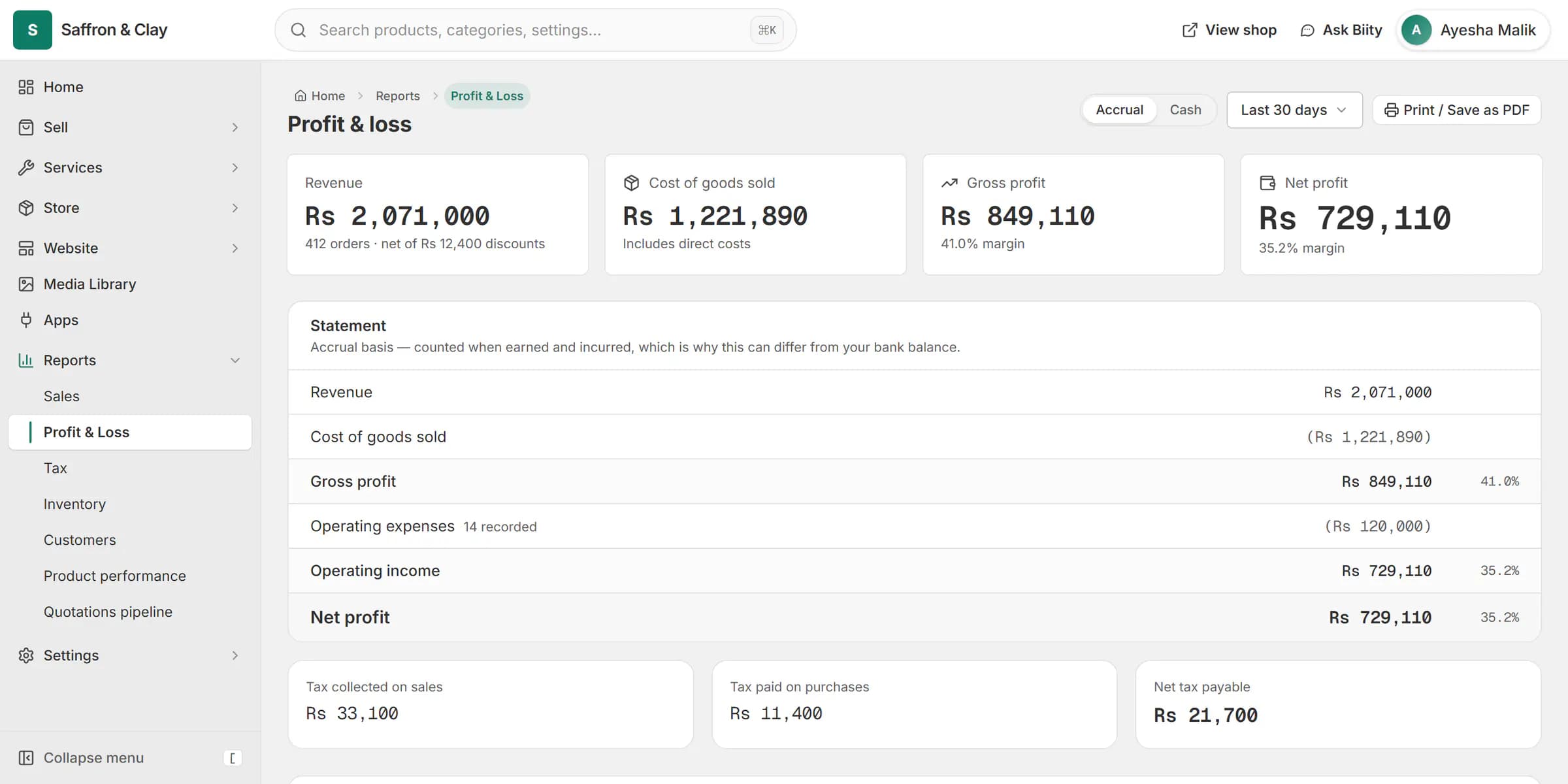
Profit and loss for the last 30 days: revenue, the cost of what was sold, a 41% gross margin, and net profit after expenses.
Everything in Know your numbers
Sales and stock reports
See what is selling and who is buyingProfit and loss, and tax
Know whether you actually made moneyOn Pro and EnterpriseExpenses
Track what the business spendsGoogle and traffic on your dashboard
See how people find your shop without opening GoogleBiizay Analytics
See your visitors without connecting another toolComing soon
Go further with Know your numbers
Step-by-step guides
- Connect Google Analytics 4Count visitors with your own Google Analytics, and read the figures inside Biizay.
- Record your business expensesAdd your running costs so your reports show what you really earn.
- Get your shop on Google Search ConsoleSee how people find your shop on Google. Biizay connects it for you.
- Read your sales and profit reportsSee what sold, what you made, and what to restock, for any period you pick.
Know your numbers: common questions
Can I use it now?
No. It is not available yet.
What can I use instead?
Connect your own Google Analytics; its figures show in your portal.
Can I export expenses?
Yes, as CSV.
Can I track unpaid bills?
Yes. Mark an expense unpaid and change it when you pay.
Where do expenses show?
In the profit & loss report, under the right heading for their category. That report is included on some plans; the expenses list itself is on every plan.
Why are there no search figures yet?
Google needs a few days after your shop goes live, and figures always lag two to three days.
Do I need Google Analytics?
Only for visitor figures. Search figures come from Search Console.
Can staff see it?
Each part shows only to members whose role covers it.
See it working on your own store.
14-day Pro trial, no card. Everything is in the same account.