
Google Search Console app for your store
See your Google figures in one place
Google Search Console, by GoogleLive

Your Google search figures, set up for you and shown in tabs.
What it does
- Performance, Searches, Pages and Page check tabs
- Set up automatically once your shop is public
- Optional field for your own Search Console verification code
- Can be turned off from its tile
Turning it on
- In your Biizay portal, open Apps and choose Google Search Console.
- Your shop needs to be live on its own web address first.
- Fill in its settings: Site verification code.
- Turn it on. You can turn it off the same way at any time.
How it works
- Publish your shopThe app needs a public shop address.
- Let Biizay connect itVerification and the sitemap are handled for you.
- Open the tabsRead your figures under Apps, Google Search Console.
Google Search Console in your portal.
saffronandclay.pk/portal/apps/search-console
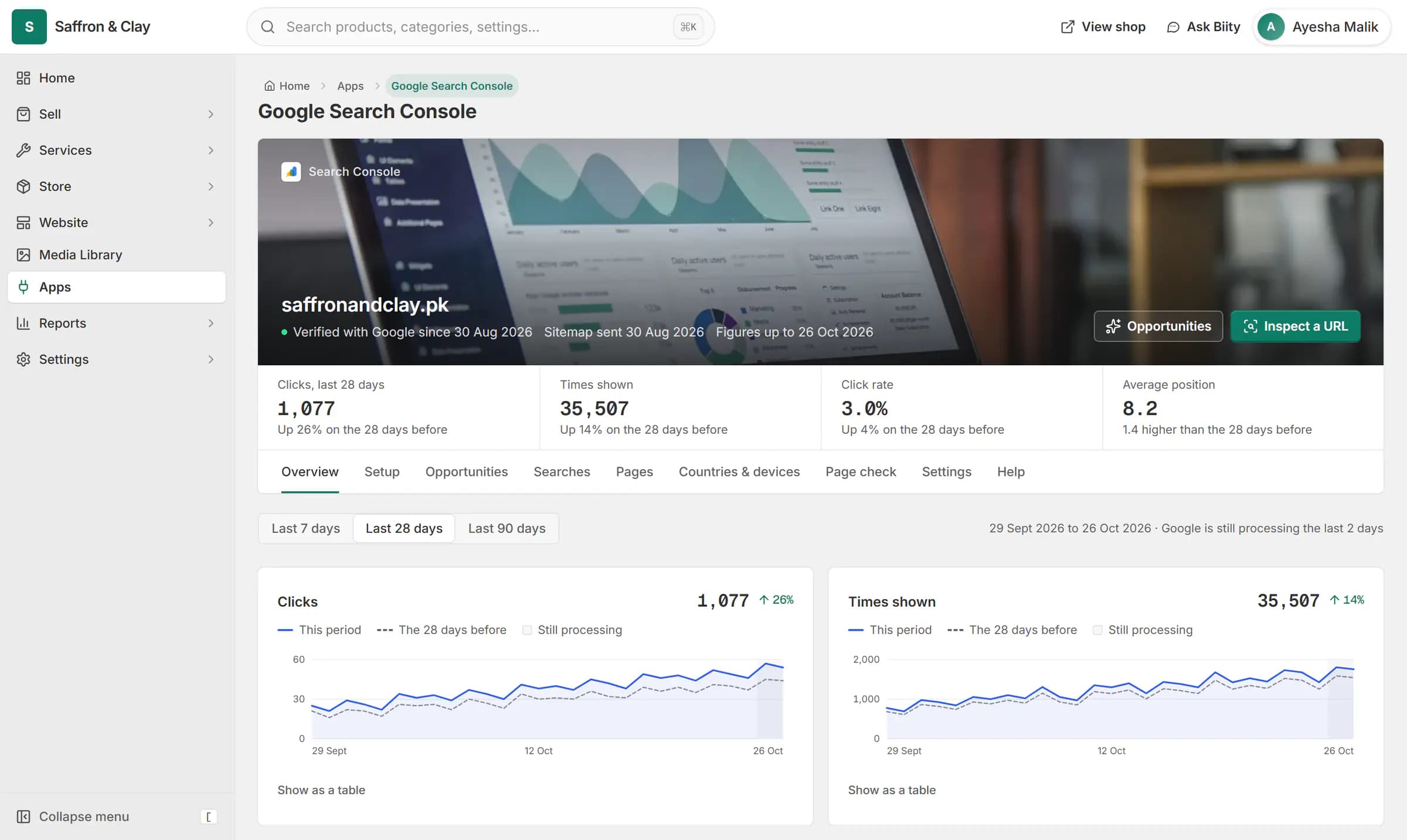
Google Search Console inside Biizay: clicks from Google are up 26%, and the next page to improve is named with the clicks it could win.


This app is installed for you. Its Setup tab shows how far the connection has got, and the data tabs fill in as Google reports.
Works with
- Google Search Console set up for your storeSearch Console verified and your sitemap submitted for you, with the figures in your portal.
- SEO opportunities from your Search Console dataA ranked list of SEO fixes worked out from your own Search Console figures.
- Google search and traffic on your dashboardSearch clicks, top searches and visitors on your portal home.
Questions
Do I have to install it?
No. It is set up automatically for live shops.
Can I add my own verification code?
Yes, in the app's settings. It sits alongside Biizay's.
Try Google Search Console on your own store.
14-day Pro trial, no card. Everything is in the same account.