

Google search and traffic on your dashboard
See how people find your shop without opening Google
Search clicks, top searches and visitors on your portal home.
What it does
- Google search clicks for the last seven days compared with the seven before
- Your top search term and top page from Google Search Console
- Visitors and sources from your own Google Analytics, once connected
- Apps that need your attention, and suggestions for what to set up next
How it works
- Search figures arriveGoogle Search Console is set up for your shop automatically once it is live.
- Connect AnalyticsAdd your Google Analytics details for visitor figures.
- Check your home pageThe Google and traffic section updates as new figures come in.
Profit, not just sales.
Profit and loss for the last 30 days: revenue, the cost of what was sold, a 41% gross margin, and net profit after expenses.
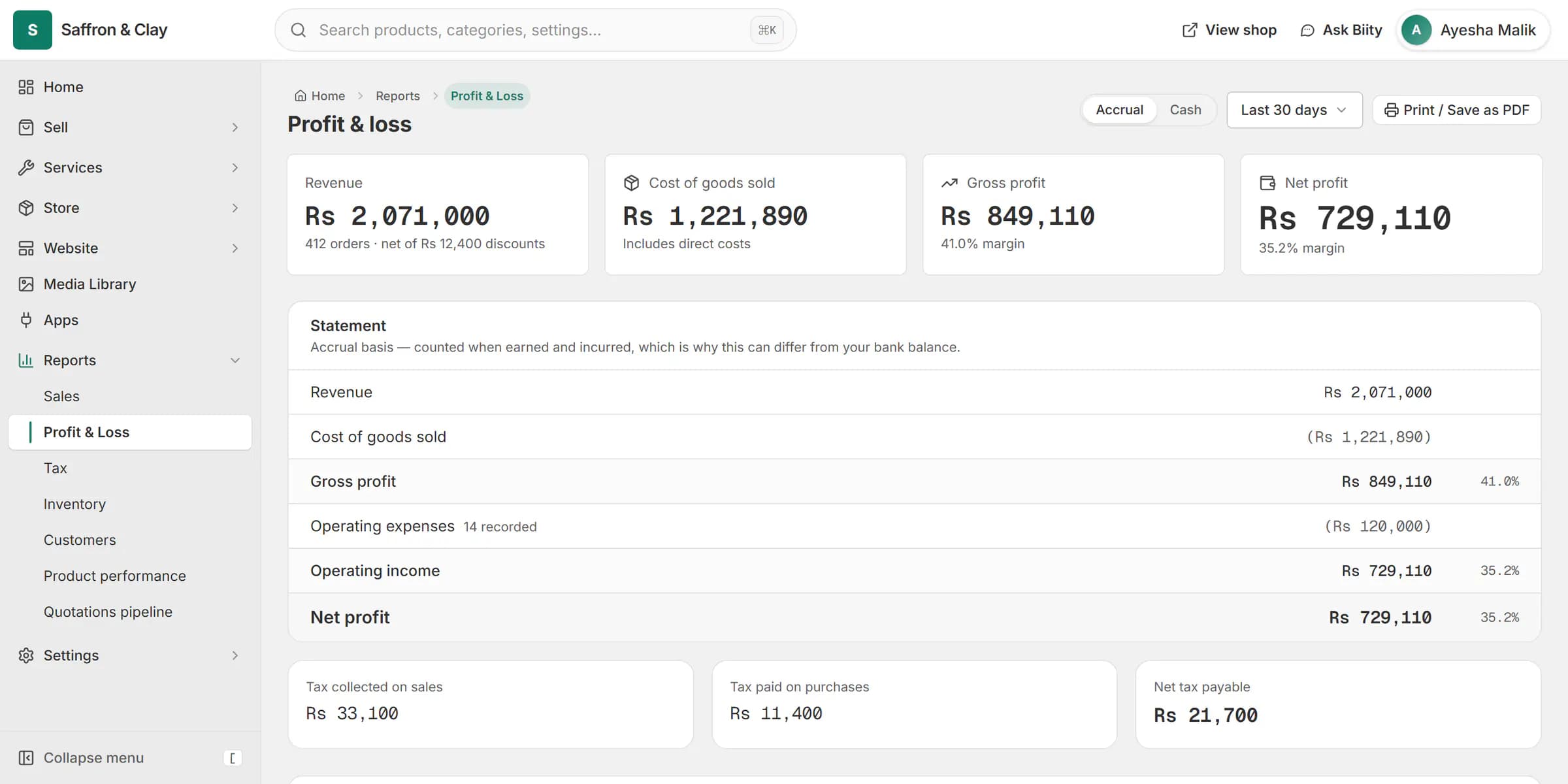
Profit and loss for the last 30 days: revenue, the cost of what was sold, a 41% gross margin, and net profit after expenses.
Figures from your own accounts
Search figures come from Google Search Console, which Biizay sets up for your shop. Visitor figures come from your own Google Analytics property. Each part only appears to team members whose role allows it.
Works with
- Google Search Console set up for your store | BiizaySearch Console verified and your sitemap submitted for you, with the figures in your portal.
- Google Analytics 4 for your online store | BiizayYour own Google Analytics 4, with shop events sent and the figures shown in your portal.
- SEO opportunities from your Search Console data | BiizayA ranked list of SEO fixes worked out from your own Search Console figures.
- Biizay Analytics: built-in visitor stats (coming) | BiizayBuilt-in visitor statistics, coming soon.
- Google Search Console app for your store | BiizayYour Google search figures, set up for you and shown in tabs.
- Google Analytics 4 app: tag and reports | BiizayYour GA4 tag plus visitor reports inside your portal.
Questions
Why are there no search figures yet?
Google needs a few days after your shop goes live, and figures always lag two to three days.
Do I need Google Analytics?
Only for visitor figures. Search figures come from Search Console.
Can staff see it?
Each part shows only to members whose role covers it.
Try it on your own store.
14-day Pro trial, no card. Everything is in the same account.