
Website and counter sales for cafés and restaurants
A menu website, delivery orders and counter sales in one list, for a café or small restaurant.
What gets in the way
- The menu lives in photos on social media and goes out of date
- Delivery orders come in by phone and messages and are hard to keep track of
- Counter sales and online orders are recorded in different places
- Customers keep asking about opening hours and delivery areas



Sold at the counter, gone from the website.
A face oil is rung up at the counter and paid in cash. The stock count on the website drops from 12 to 11.
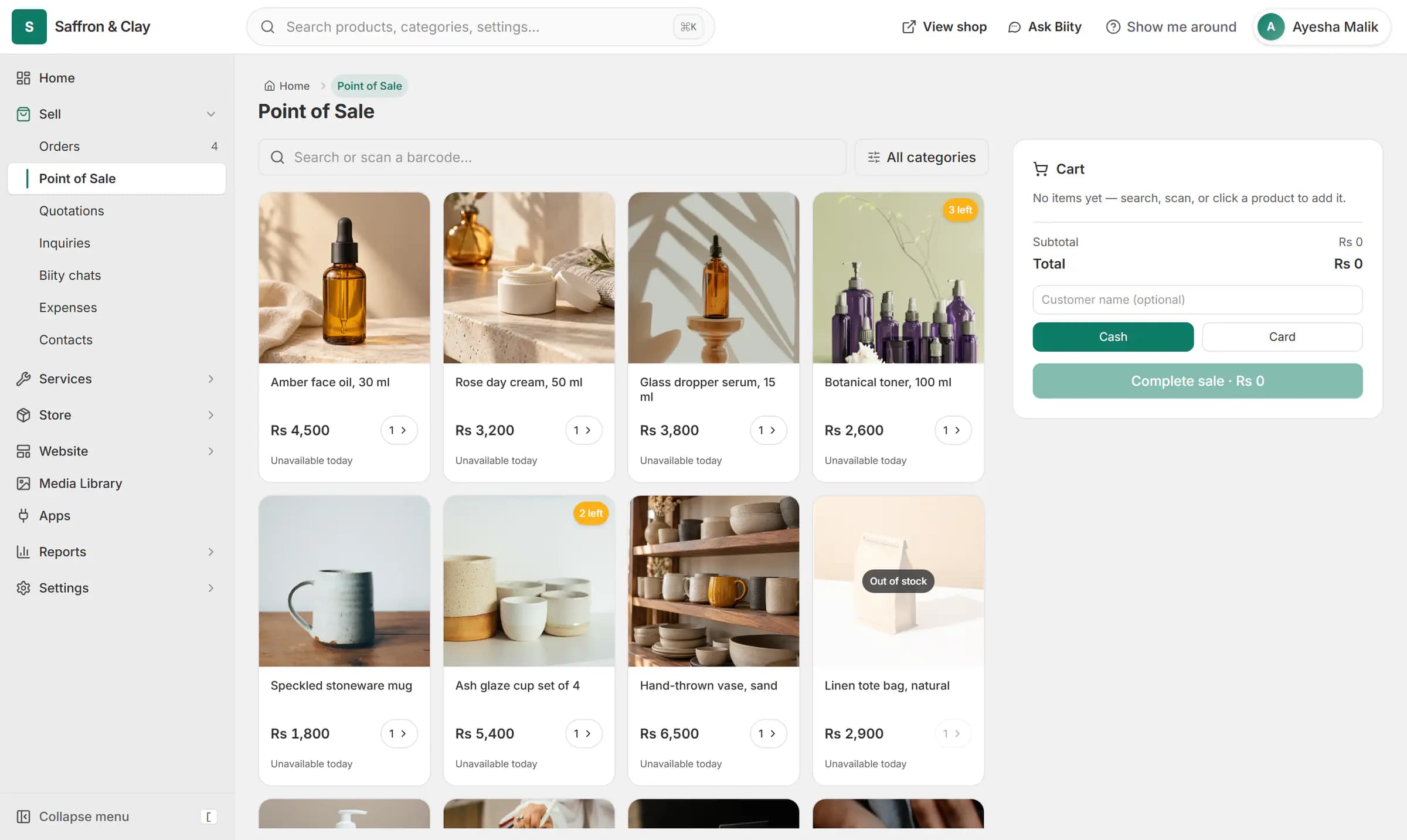
A face oil is rung up at the counter and paid in cash. The stock count on the website drops from 12 to 11.

An order comes in. You see it first.
A new website order arrives at the top of the Orders list, the count waiting for you goes up, and the order opens ready to confirm.
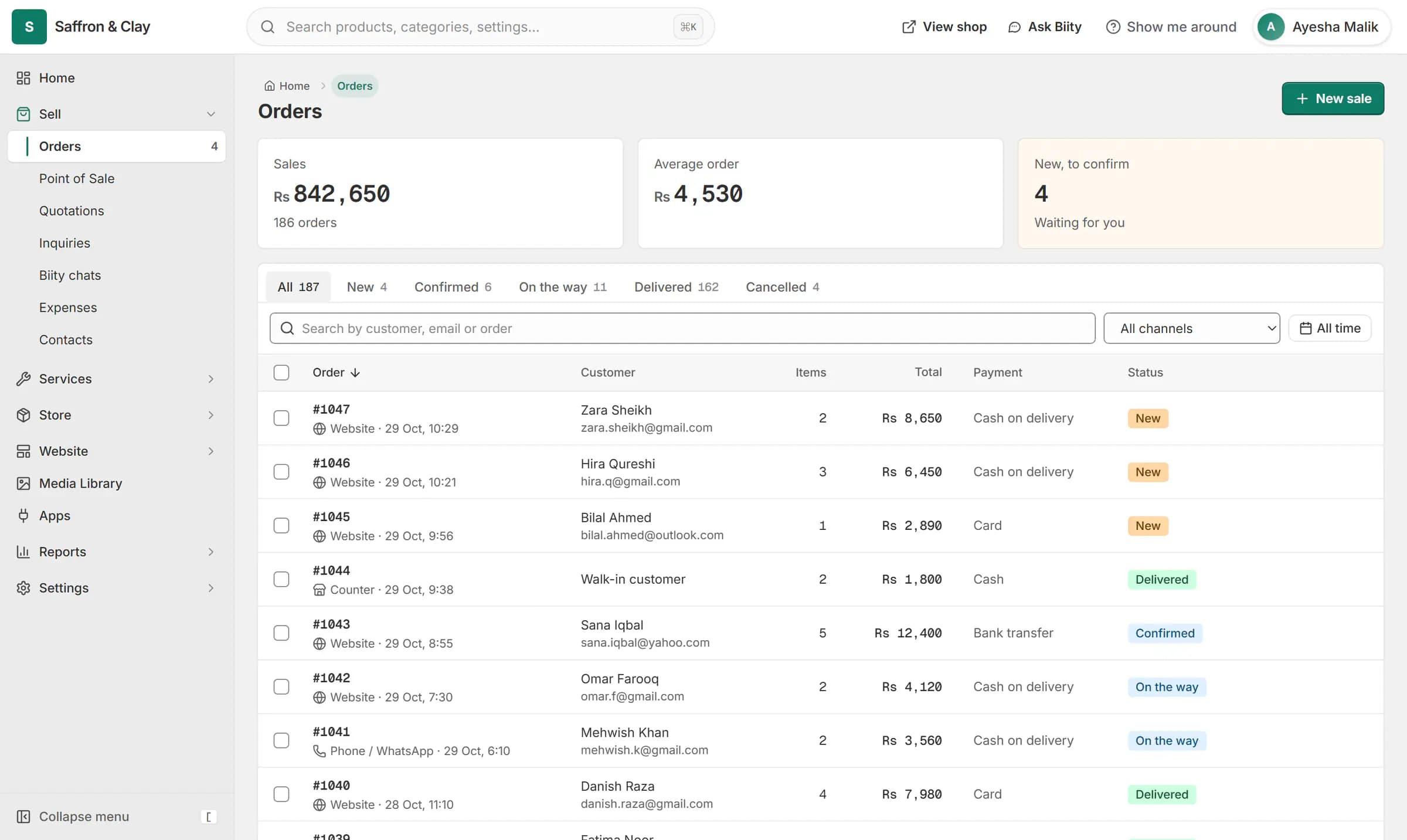
A new website order arrives at the top of the Orders list, the count waiting for you goes up, and the order opens ready to confirm.

How a café runs on Biizay
- Put the menu onlineEach dish and drink is a product with a photo and a price, grouped into categories such as breakfast, mains and drinks. Change a price and the menu is current at once.
- Set where you deliverDelivery zones and rates you choose, including free delivery over an amount. Cash on delivery is on from day one.
- Take orders in one listOnline orders and counter sales land in the same order list, so nothing is lost between the phone, messages and the till.
- Ring up walk-insUse the point of sale in your browser for customers at the counter; it uses the same menu and prices.
- Let the site answer the usual questionsAdd your opening hours and contact details in Store details. Biity uses them to answer common questions, and can hand the customer to you on WhatsApp.
Your menu as a website
Design the home page in the page builder and keep it current yourself, with no developer. Each category gets its own page, so a search for your café's breakfast menu lands somewhere useful.
Start a café or restaurant store: 14-day Pro trial, no card needed
Plans and prices in rupees, dollars and dirhams
What you get
- FeaturePoint of sale (POS) for small shopsRing up products, bundles and services at the counter from the same stock your shop sells.
- FeatureCash on delivery (COD) for your online storeCustomers order now and pay in cash when the parcel arrives.
- FeatureBiity: a chat assistant for your shop's customersA chat helper on your shop that answers from your own data and hands over to you when needed.
- FeatureDrag-and-drop website page builderA drag-and-drop editor for every page of your site, with a live preview at three screen sizes.
- AppPoint of Sale app: turn counter sales on or offThe counter-sales tool, on for every store and yours to switch off.
- AppBiity app: your shop's chat assistantSettings for Biity, the chat helper on your shop.
- FeatureOnline store builder for small businessesA complete online shop on its own address, ready for products the day you sign up.
- FeatureDelivery zones and rates by weight or order valueDelivery zones and rates: flat, free over an amount, by order value or by weight.
- FeatureOrder management for online and counter salesEvery order from your website, counter and phone in one list you can work through quickly.
- FeatureContact page with an enquiry form and inboxA contact page with a working form, and an inbox for every message it brings.
Learn it
- GuideSet up your store: the first hourThe handful of settings that turn a new Biizay account into a shop customers can trust.
- GuideMake a sale at the counter (POS)Sell in person from the same catalogue and stock as your online shop.
- GuideSet up shipping zones and ratesTell checkout where you deliver and what each option costs.
- SolutionOnline store for clothing and retail shopsOne stock, one portal for a clothing or retail shop selling online, on social media and at the counter.
- SolutionBooking website for repair and service businessesService pages, bookings, quotes and jobs in one place for trades and repair businesses.
- BlogHow to set up cash on delivery and cut COD returnsCash on delivery for a Pakistani online store: how to set it up, why parcels get refused, and practical ways to cut COD returns without losing real orders.
- BlogChoosing a POS system for a small shop in PakistanWhat a POS should do for a small shop in Pakistan, why one stock list for shop and website matters, and what to ask before you choose.
- BlogHow to sell on WhatsApp with your own online storeSell on WhatsApp without losing orders in chats: product links, broadcasts, quick replies, recording orders and keeping stock right with your own store.
Questions
Can I put my menu online?
Yes. Each item is a product with a photo, price and category.
Can I take delivery orders?
Yes, with cash on delivery and delivery rates you set.
Is there table ordering or a kitchen screen?
No. Online orders arrive in your order list, next to your counter sales.
Can I record walk-in sales?
Yes, on the point of sale in your browser.
How do I start?
Create your store; every new store gets a 14-day Pro trial with no card needed, and you can pick a plan before it ends.
Open a store built for the way you work.
14-day Pro trial, no card. Everything is in the same account.