

Cash on delivery (COD) for your online store
Take orders from customers who prefer to pay at the door
Customers order now and pay in cash when the parcel arrives.
What it does
- On by default for every store, with nothing to set up
- Orders are recorded as cash on delivery so you know what to collect
- Works alongside card payments when you add them
- Can be switched off only when card payments are ready, so checkout never has no way to pay
How it works
- Nothing to configureCash on delivery is ready the day your store opens.
- Customers choose itAt checkout they pick cash on delivery and place the order.
- Collect and updateShip, collect payment, and mark the order delivered in the portal.
An order comes in. You see it first.
A new website order arrives at the top of the Orders list, the count waiting for you goes up, and the order opens ready to confirm.
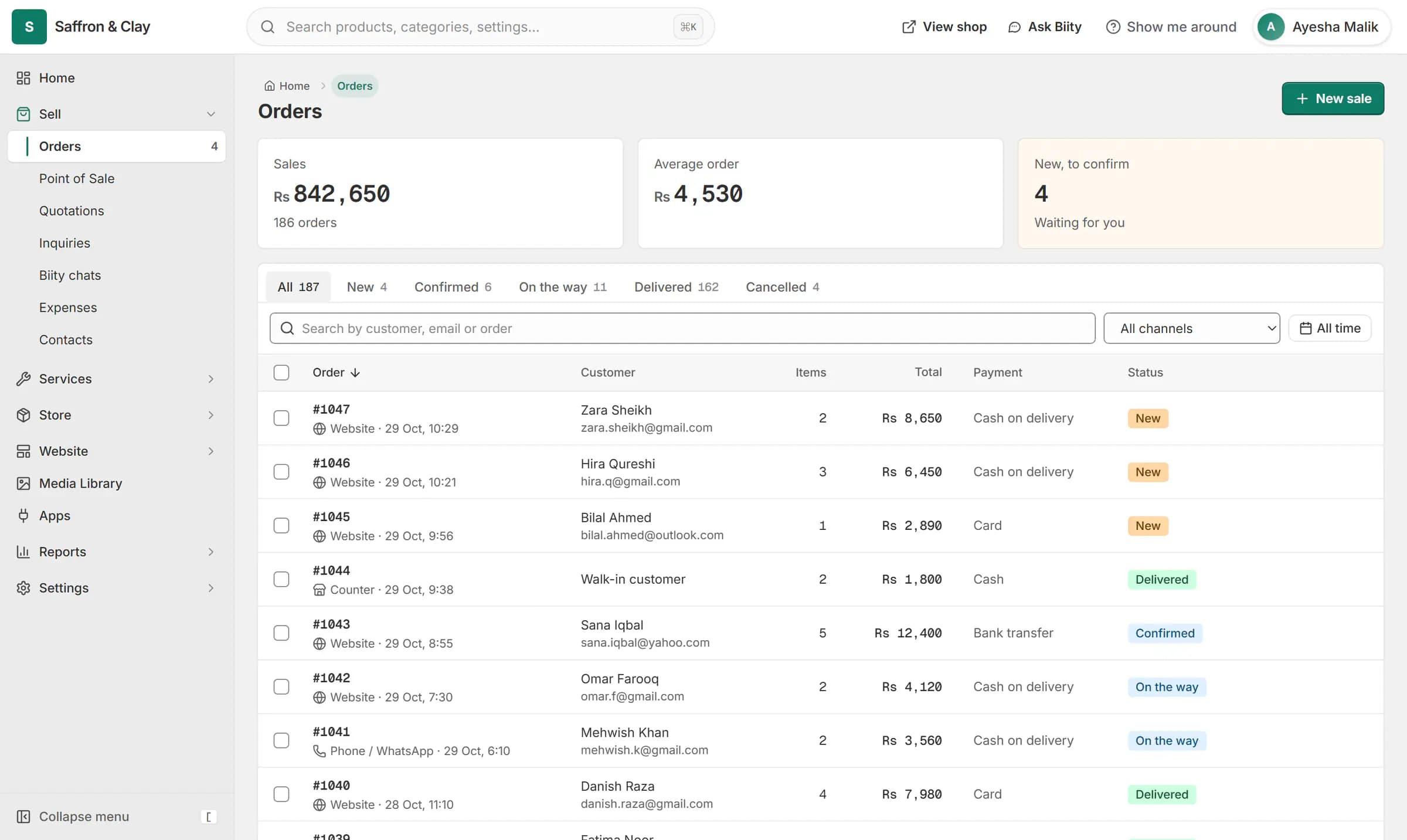
A new website order arrives at the top of the Orders list, the count waiting for you goes up, and the order opens ready to confirm.

The way most local customers buy
Many shoppers in Pakistan still prefer to pay in cash on delivery. Biizay keeps it on unless you choose otherwise, so a new store can take orders from day one.
Order statuses then follow the parcel: confirmed, shipped with a tracking number, delivered.
Works with
- Order management for online and counter sales | BiizayEvery order from your website, counter and phone in one list you can work through quickly.
- Delivery zones and rates by weight or order value | BiizayDelivery zones and rates: flat, free over an amount, by order value or by weight.
- Card payments at checkout with Stripe | BiizayCard payments through your own Stripe account, paid straight to you.
- Shopping cart and guest checkout for your store | BiizayA cart and a guest checkout that offer only the delivery and payment options you set.
- Online store for clothing and retail shops | BiizayOne stock, one portal for a clothing or retail shop selling online, on social media and at the counter.
- Website and counter sales for cafés and restaurants | BiizayA menu website, delivery orders and counter sales in one list, for a café or small restaurant.
Questions
Is cash on delivery free to use?
There is nothing to install or connect; it is part of checkout.
Can I offer only card?
Yes, once your Stripe key and webhook secret are both saved, you can switch cash on delivery off.
Does Biizay collect the cash?
No. You or your courier collect it from the customer.
Try it on your own store.
14-day Pro trial, no card. Everything is in the same account.