

Order management for online and counter sales
Keep every order moving from placed to delivered
Every order from your website, counter and phone in one list you can work through quickly.
What it does
- One list for website orders, counter sales and phone orders, each marked by channel
- Statuses from new to confirmed, on the way and delivered, with courier and tracking number
- Cancelling returns exactly the stock that order took
- Confirm, send or deliver many orders at once, with undo
- Filter and sort orders, and export the ones you select to CSV
How it works
- Orders arriveNew orders appear in Orders with their channel and payment method.
- Move them alongConfirm, add the courier and tracking number, and mark them delivered.
- Customers hear about itWith Store emails on, customers can get an email when an order is confirmed, sent, delivered or cancelled.
An order comes in. You see it first.
A new website order arrives at the top of the Orders list, the count waiting for you goes up, and the order opens ready to confirm.
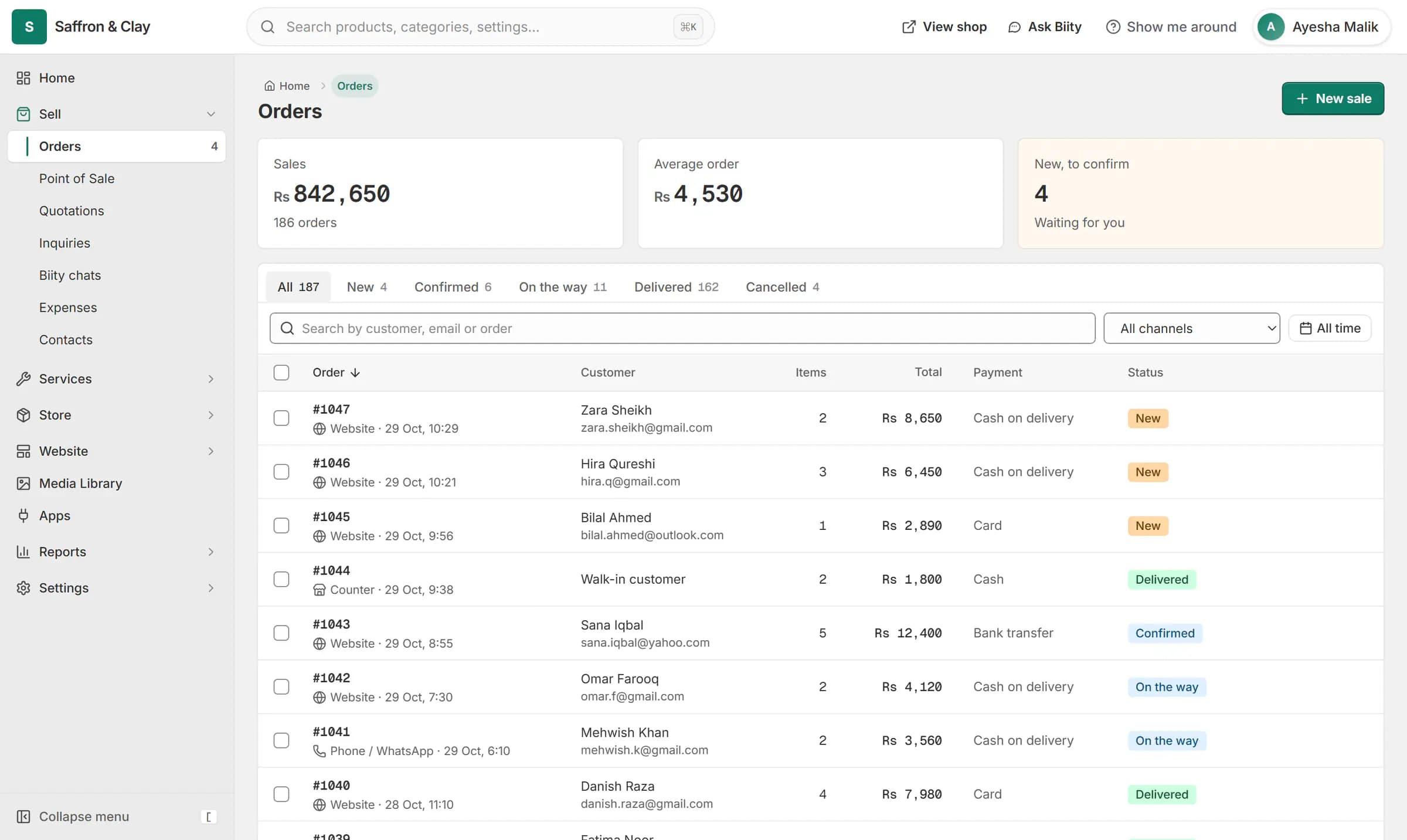
A new website order arrives at the top of the Orders list, the count waiting for you goes up, and the order opens ready to confirm.

Three channels, one list
An order can come from your website, from the point of sale, or as a phone order recorded through BiiConnect. Each carries a label so you always know where it came from.
Stock stays right
When you cancel, Biizay returns what the order actually took, piece for piece, including packs. Two people cancelling the same order at once cannot return the stock twice.
Works with
- Point of sale (POS) for small shops | BiizayRing up products, bundles and services at the counter from the same stock your shop sells.
- Order and shipping emails for your customers | BiizayOrder, enquiry and receipt emails to your customers, sent as your shop.
- Inventory management and stock tracking | BiizayOne stock count per variant, shared by your website, counter and bundles.
- Run your store from ChatGPT or Claude | BiiConnectConnect ChatGPT, Claude or another AI app to your store, with live changes waiting for your approval by default.
- Store emails app: sender, emails and sent log | BiizaySettings for your customer emails: sender, which emails, and a sent log.
- Online store for clothing and retail shops | BiizayOne stock, one portal for a clothing or retail shop selling online, on social media and at the counter.
Questions
Can I add a tracking number?
Yes. Add the courier and tracking number when you mark an order sent.
Can I undo a bulk change?
Yes, for confirm, send and deliver. Cancelling is done per order because it returns stock.
Can I export orders?
Yes. Select the orders you want and export them as a CSV file.
Try it on your own store.
14-day Pro trial, no card. Everything is in the same account.