

Run your store from ChatGPT or Claude
Hand store work to the AI app you already use
Connect ChatGPT, Claude or another AI app to your store, with live changes waiting for your approval by default.
- ChatGPT
- Claude
- Cursor
- Gemini




What it does
- Connect ChatGPT, Claude or another AI app that supports MCP connectors
- It can read products, orders, quotes, reports, Search Console and Google Analytics figures
- It can draft products, pages, blog posts, quotes and fixes to titles, descriptions and image alt text, many at once
- By default, changes to your live shop wait in Drafts until you approve them
- You choose what it may do when you connect, and its actions follow your own role
How it works
- Add the connectorIn your AI app, add Biizay as a connector and sign in.
- Choose what it may doTick the areas it may read or change, such as catalogue, pages or sales.
- Approve its workReview its suggestions in Drafts and publish what you like.
Ask in plain words. Check the drafts.
Asked in ChatGPT to put the new arrivals online, BiiConnect makes three draft products in Biizay with their photos and prices. Nothing goes live until they are checked and published.
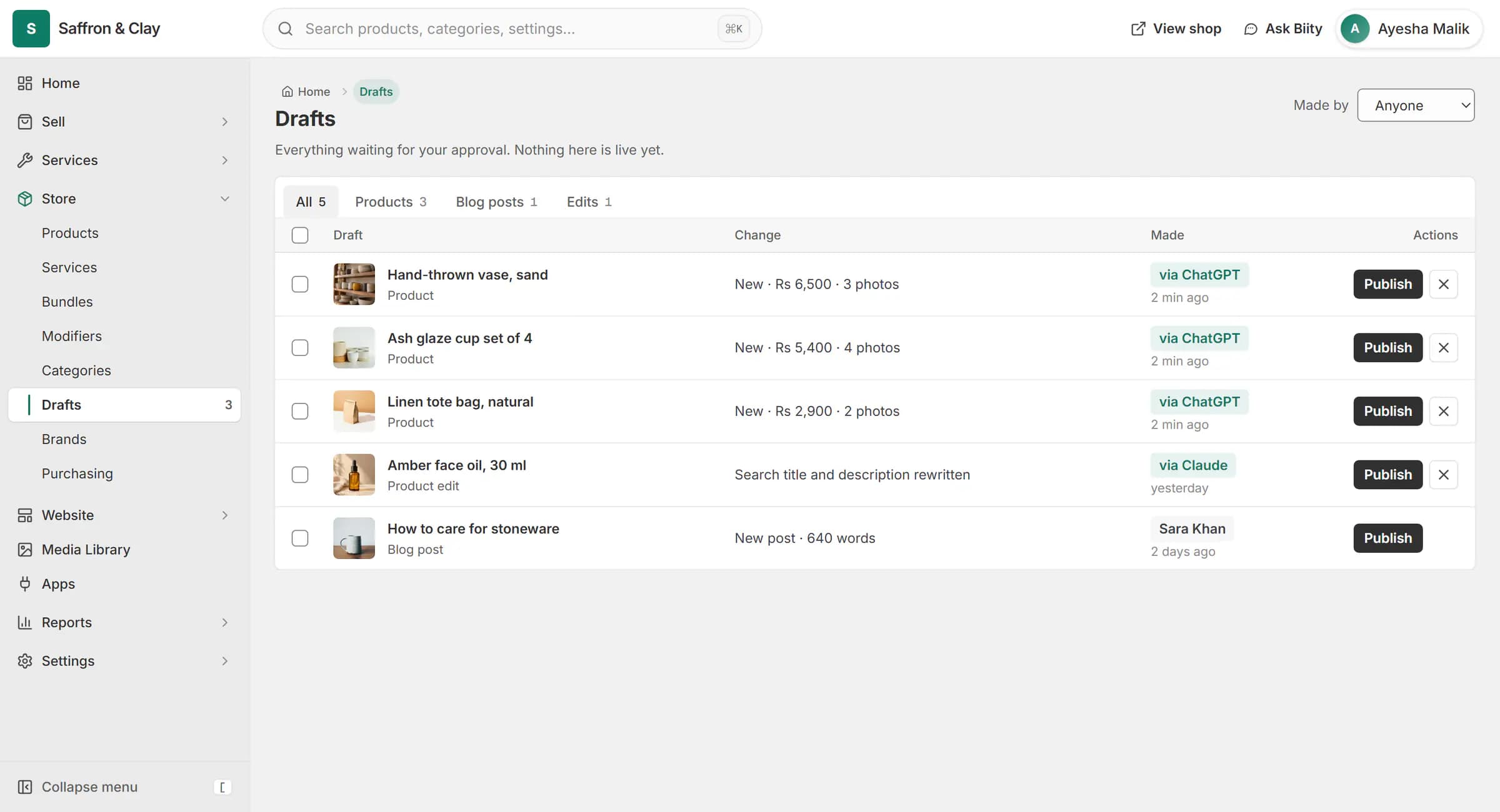
Asked in ChatGPT to put the new arrivals online, BiiConnect makes three draft products in Biizay with their photos and prices. Nothing goes live until they are checked and published.
Drafts first, by default
New items, such as a product or a blog post, are created as drafts. Edits to something already live, and sales actions such as recording a phone order, cancelling an order or sending a quote, become suggestions in Drafts for a person on your team to approve. Routine order updates, such as marking an order shipped or adding tracking, happen straight away and can be undone. When you connect, you can also choose to let some changes go live without asking.
Limits and records
Reading is free. Changes count towards a monthly number of AI actions set by your plan. Every action is listed in the BiiConnect activity log, and you can disconnect an app at any time.
Works with
- SEO opportunities from your Search Console data | BiizayA ranked list of SEO fixes worked out from your own Search Console figures.
- Order management for online and counter sales | BiizayEvery order from your website, counter and phone in one list you can work through quickly.
- Send quotations customers accept online | BiizayPriced quotes emailed with an accept link, then turned into orders in one step.
- Biity in your portal: help, tours and quick actions | BiizayA helper inside your portal for how-to questions, guided tours and quick actions you confirm.
- BiiConnect app: AI app connections and Drafts | BiizayConnections, activity and an on-off switch for AI apps on your store.
Questions
Can the AI change my shop without asking?
Not by default. Edits to live items, recording sales, cancelling orders and sending quotes wait in Drafts. Order status and tracking updates happen at once and can be undone, and you can choose to let more run without asking.
Which AI apps work?
ChatGPT, Claude and other AI apps that support MCP connectors.
Can a staff member's AI do more than they can?
No. It can only do what that person's role allows, and only in the areas they ticked.
How do I disconnect?
In Settings, open BiiConnect and remove the connection.
Try it on your own store.
14-day Pro trial, no card. Everything is in the same account.