

Send quotations customers accept online
Quote, get a yes, and invoice without retyping anything
Priced quotes emailed with an accept link, then turned into orders in one step.
What it does
- Build a quotation from a request or from scratch, line by line
- Email it with a link the customer uses to accept or decline
- Prices are locked once sent; to change them, revise and send again, and older links stop working
- Turn an accepted quotation into an order, with stock and service jobs handled
- A quotations pipeline report shows how many quotes were accepted and declined
How it works
- Price itOpen the request in Quotations and enter a price for each line.
- Send itThe customer receives an email with the quote and an accept link.
- Convert itWhen they accept, turn the quotation into an order with one action.
An order comes in. You see it first.
A new website order arrives at the top of the Orders list, the count waiting for you goes up, and the order opens ready to confirm.
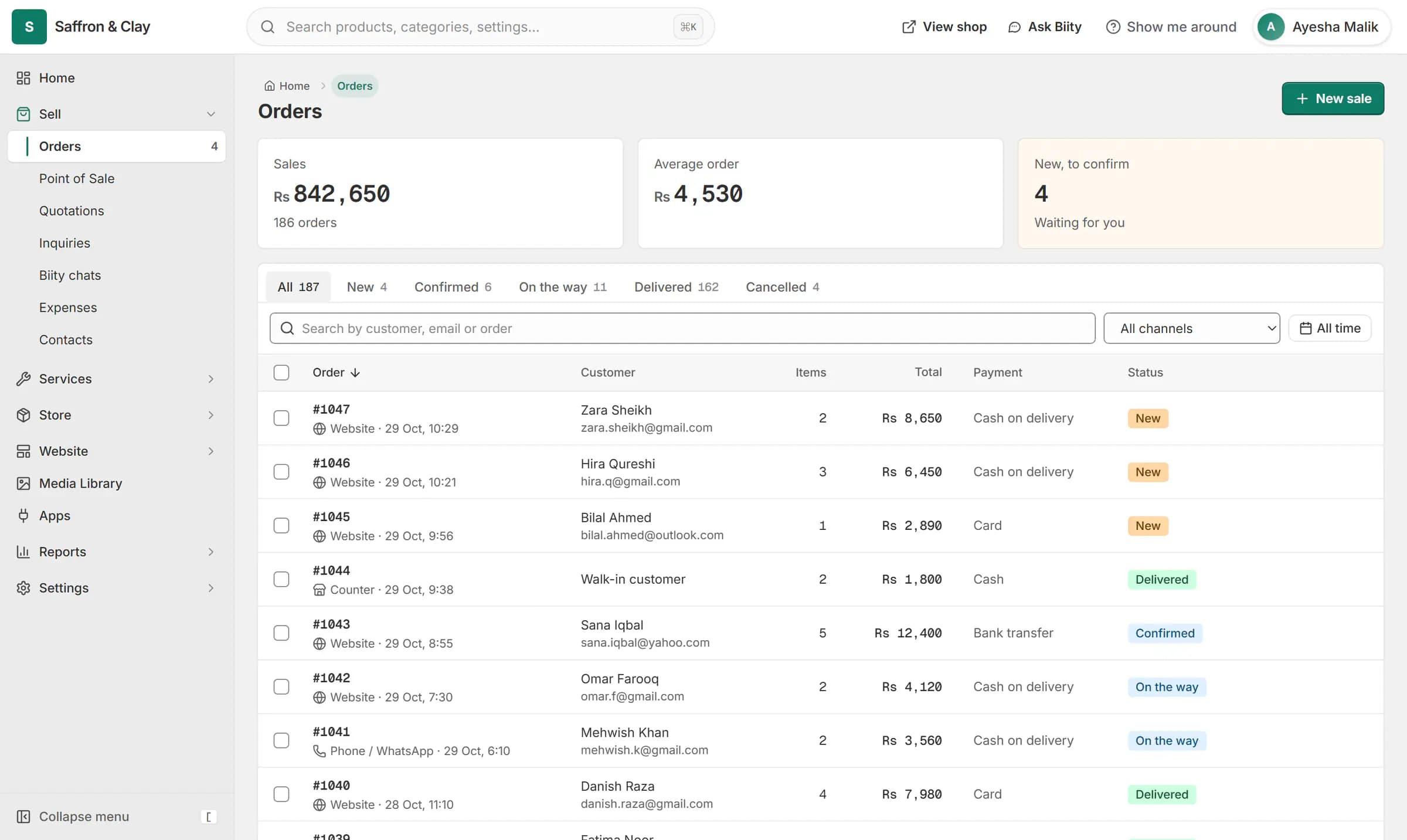
A new website order arrives at the top of the Orders list, the count waiting for you goes up, and the order opens ready to confirm.

A quote that cannot drift
Once a quote is sent, its prices are fixed. If you need to change something, move it back to review, re-price it and send again. The earlier accept link then stops working, so a customer can never accept figures you have replaced.
Converting an accepted quote creates the order, takes stock where you hold it, and creates scheduled jobs for any services, using the time the customer asked for.
Works with
- Request a quote button for products and services | BiizayA one-step Request a quote form on product and service pages that lands in your portal.
- Price on request: a quote-only B2B catalogue | BiizayList real products without public prices, and take quote requests instead of orders.
- Job tracking and materials for service businesses | BiizayJobs for every service sold, with a status, an assignee and the parts used.
- Sales, inventory and customer reports | BiizaySales, product, customer, inventory and quotation reports for any period.
- Quotations app: quote requests and quotes | BiizayQuote requests from your shop and priced quotations, as one tool.
- Store emails app: sender, emails and sent log | BiizaySettings for your customer emails: sender, which emails, and a sent log.
- Booking website for repair and service businesses | BiizayService pages, bookings, quotes and jobs in one place for trades and repair businesses.
- Quote-only catalogue for B2B and medical suppliers | BiizayA searchable catalogue with price on request, for suppliers who quote each buyer.
Questions
Can I edit a quote after sending it?
Revise it: move it back to review, change the prices and send it again. The old link stops working.
Can I quote bundles?
No. Quote the products inside the bundle instead.
Can I export my quotes?
Yes. The quotations list exports to CSV.
Try it on your own store.
14-day Pro trial, no card. Everything is in the same account.