

Store emails app: sender, emails and sent log
Control every email your shop sends
Store emails, built by BiizayLive
Settings for your customer emails: sender, which emails, and a sent log.
What it does
- Sender, Emails, Sent log and Mail apps tabs
- Sender choices: Biizay, a BiiMail mailbox, or your own email server
- Switch each email on or off and set a reply-to address
- Off until you turn it on
Turning it on
- In your Biizay portal, open Apps and choose Store emails.
- Fill in its settings: Replies go to.
- Turn it on. You can turn it off the same way at any time.
How it works
- Pick a senderChoose Biizay, a BiiMail mailbox or your own server.
- Send a testSetup is done when a test arrives through that sender.
- Choose your emailsSwitch on the order, enquiry and receipt emails you want.
Store emails in your portal.
saffronandclay.pk/portal/apps/store-emails
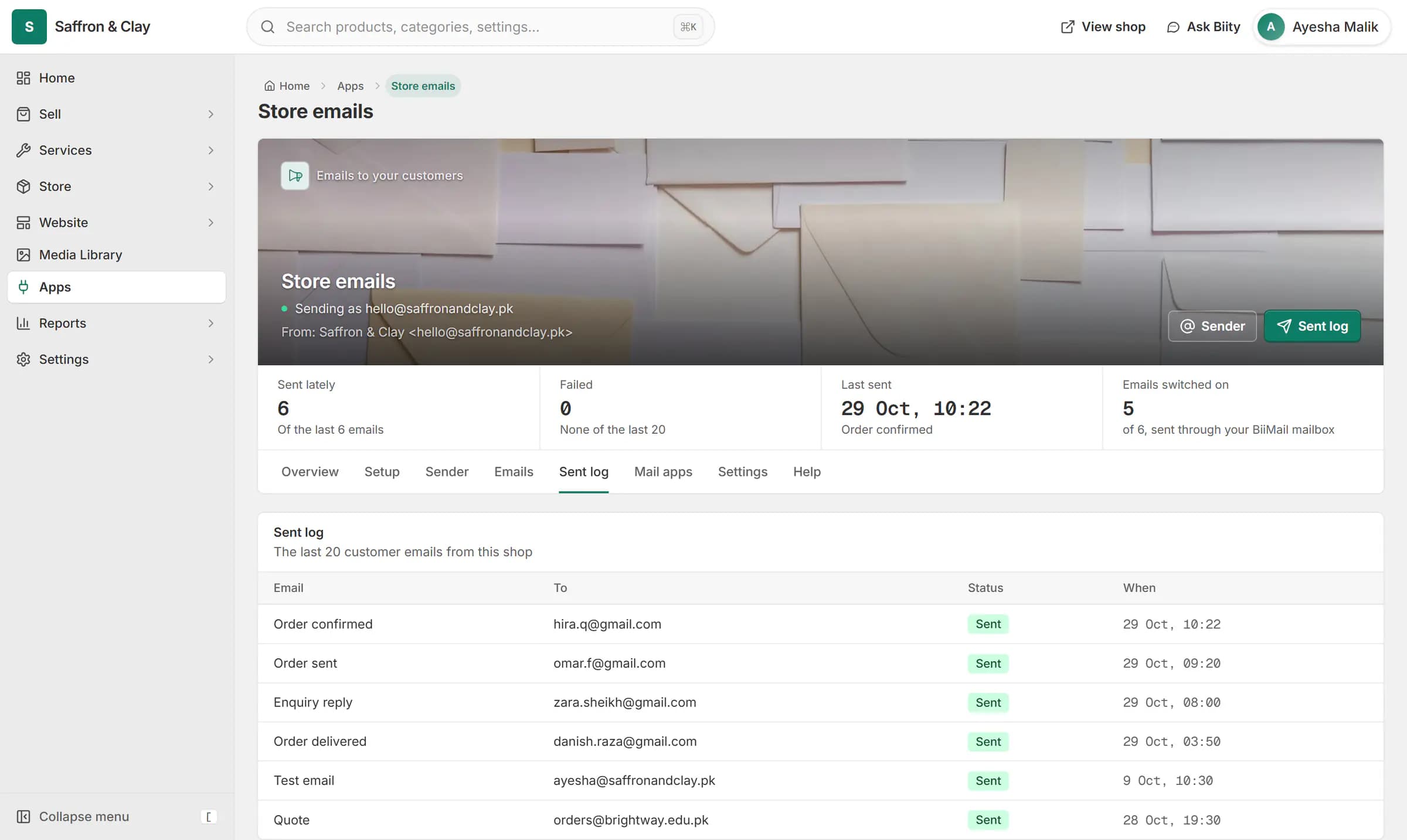
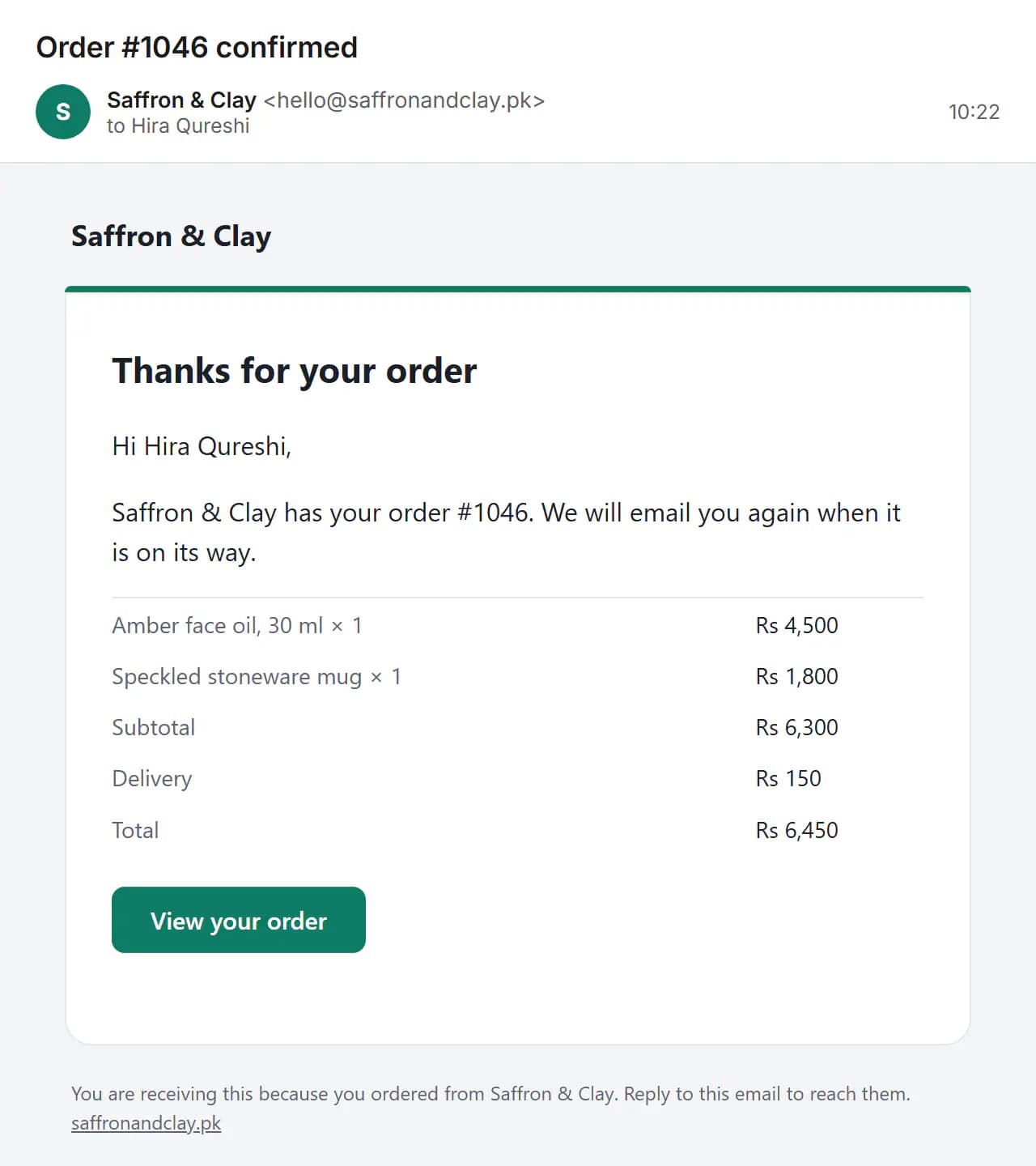
When an order comes in, the confirmation goes out as the shop, from hello@saffronandclay.pk, and shows in the sent log.
Sending through a BiiMail mailbox uses a separate sending password that Biizay creates for you, so your mailbox password is never needed. Your own server must be reachable on the public internet.
Works with
- Order and shipping emails for your customersOrder, enquiry and receipt emails to your customers, sent as your shop.
- Business email on your own domain with BiiMailMailboxes on your own domain, with webmail and support for phone and desktop mail apps.
- Order management for online and counter salesEvery order from your website, counter and phone in one list you can work through quickly.
- BiiMail app: mailboxes on your domainEmail on your own domain, managed from Mailboxes.
Questions
Is it on by default?
No. Turn it on in Apps.
What if an email fails?
It shows as failed in the Sent log and the app reports the problem.
Try Store emails on your own store.
14-day Pro trial, no card. Everything is in the same account.