

Business email on your own domain with BiiMail
Send and receive email from your own domain
Mailboxes on your own domain, with webmail and support for phone and desktop mail apps.
What it does
- Mailboxes on your verified domain, such as orders@yourshop.pk
- BiiMail webmail in the browser
- Works with phone and desktop mail apps over IMAP and SMTP
- Biizay shows the DNS records to add, including the signing record that helps mail arrive
How it works
- Connect your domainYour domain must be connected and verified first.
- Add the DNS recordsIn Mailboxes, copy the records Biizay shows to your domain registrar.
- Create mailboxesAdd an address for each person or role; each gets a link to set a password.
Sent as your shop, from your own address.
When an order comes in, the confirmation goes out as the shop, from hello@saffronandclay.pk, and shows in the sent log.
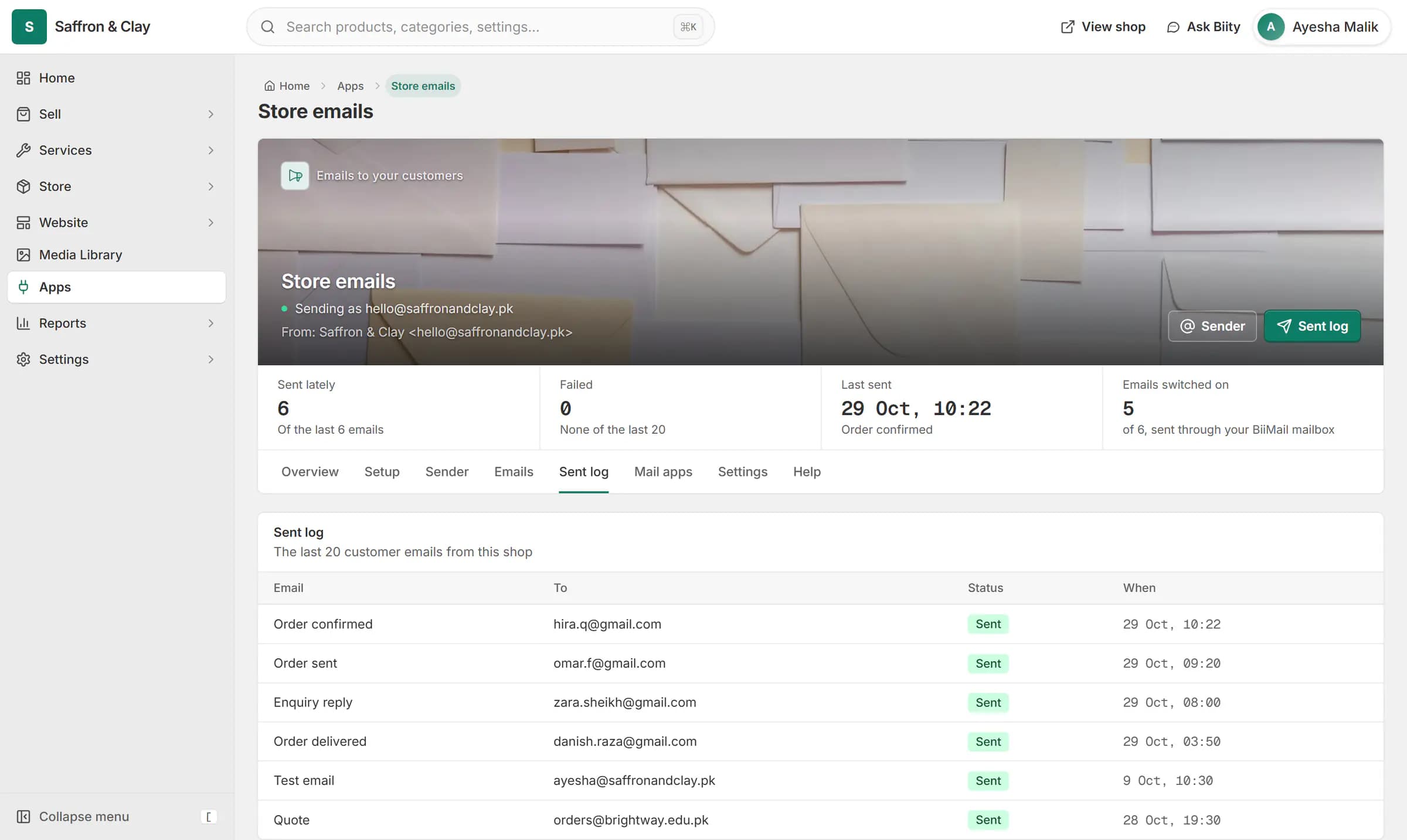
When an order comes in, the confirmation goes out as the shop, from hello@saffronandclay.pk, and shows in the sent log.
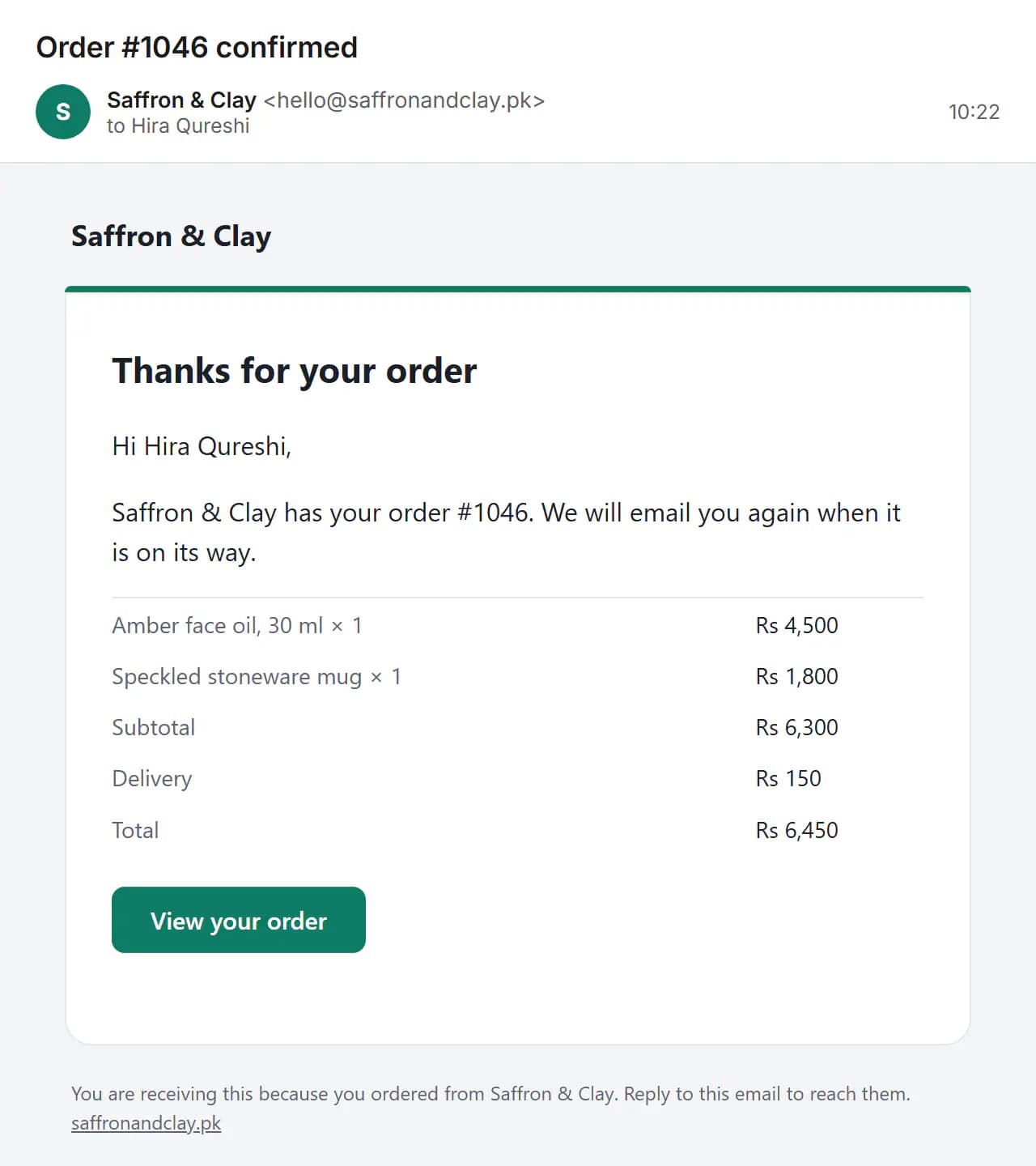
Email that matches your shop
A customer is more likely to trust an email from orders@yourshop.pk than from a free address. BiiMail gives each person or role their own mailbox on your domain.
Works with
- Connect your own domain to your online store | BiizayYour shop on your own web address, with HTTPS handled for you.
- Order and shipping emails for your customers | BiizayOrder, enquiry and receipt emails to your customers, sent as your shop.
- BiiMail app: mailboxes on your domain | BiizayEmail on your own domain, managed from Mailboxes.
- Store emails app: sender, emails and sent log | BiizaySettings for your customer emails: sender, which emails, and a sent log.
Questions
Can I use it on my phone?
Yes. Add the mailbox to your phone's mail app with IMAP and SMTP.
Do I need my own domain?
Yes. Mailboxes are created on a domain you have connected and verified.
Does it include calendars?
No. BiiMail is email only.
Try it on your own store.
14-day Pro trial, no card. Everything is in the same account.