

Inventory management and stock tracking
Always know what you have and what is running low
One stock count per variant, shared by your website, counter and bundles.
What it does
- Stock per variant, counted in single pieces, shared by every channel
- Low-stock items flagged on your portal home
- An inventory report with unit cost, price and the value of what you hold
- Stock is taken in one step at checkout, so the last item cannot be sold twice
How it works
- Set stockEnter stock on each variant, or receive it through a purchase order.
- Sell anywhereWebsite orders, counter sales, bundles and service materials all take from it.
- Watch itCheck low-stock items and the inventory report, and reorder in time.
One count, whoever sells it.
One stock count per product: a counter sale and a website order each take one off, and a delivery adds 24 to the toner that was running low.
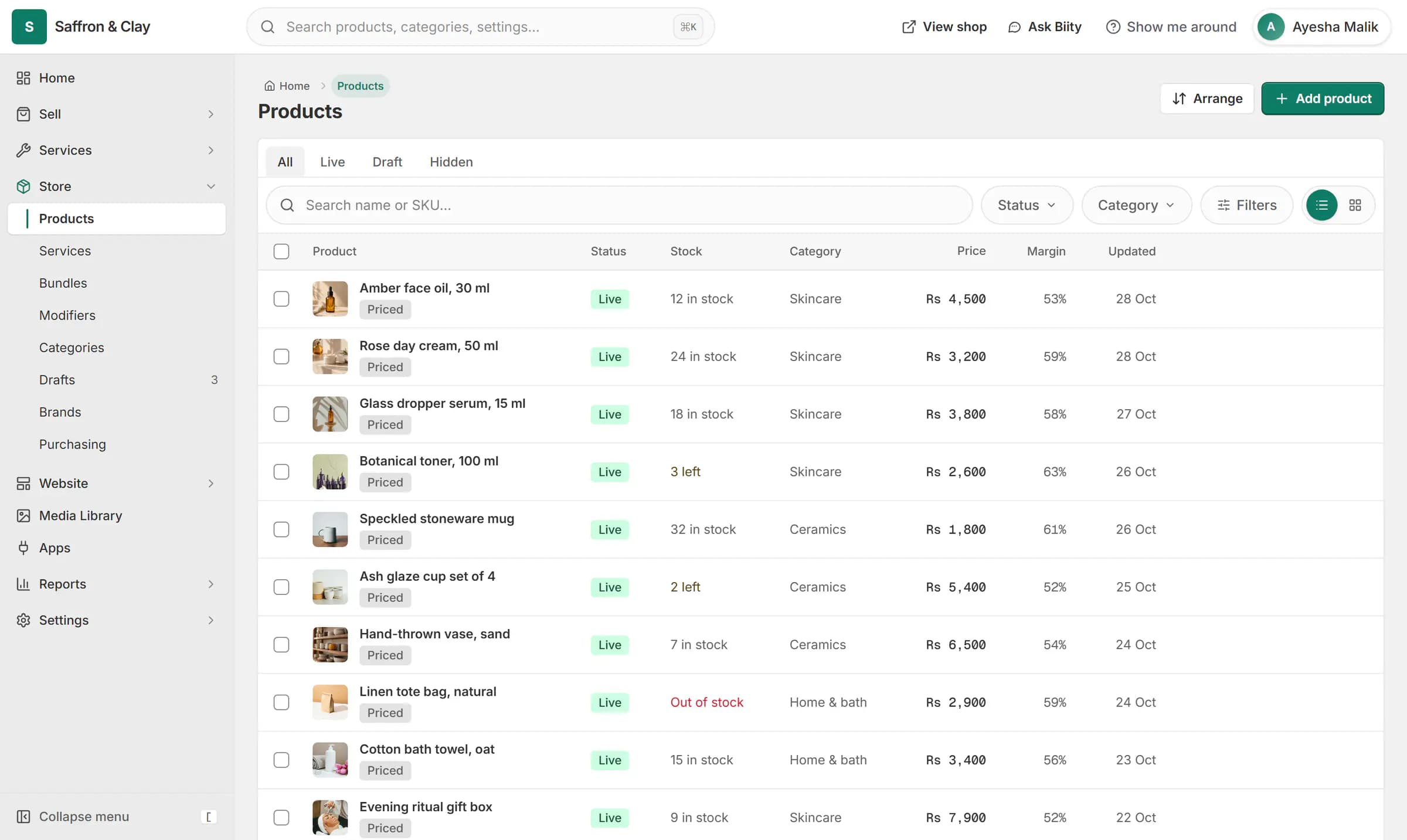
One stock count per product: a counter sale and a website order each take one off, and a delivery adds 24 to the toner that was running low.
One number, many places that use it
Your website, your counter, your bundles and the materials your services use all draw on the same stock. A cancelled order puts back exactly what it took.
Bundles and services do not hold stock of their own. A bundle is available while its parts are; a service uses the stock of its materials.
Works with
- Purchase orders and stock receiving | BiizayPurchase orders to suppliers, with stock and cost updated when goods arrive.
- Sell by the piece, pack or box from one stock | BiizaySell one item in several pack sizes that all draw from a single stock count.
- Product bundles and gift sets for your shop | BiizaySell several products as one set, with stock taken from the real items inside.
- Sales, inventory and customer reports | BiizaySales, product, customer, inventory and quotation reports for any period.
- Online store for clothing and retail shops | BiizayOne stock, one portal for a clothing or retail shop selling online, on social media and at the counter.
Questions
Does the counter use the same stock as my website?
Yes. There is one stock count per variant.
How do I know what is running low?
Low-stock items show on your portal home and in the inventory report.
Can I value my stock?
Yes. The inventory report shows cost and retail value.
Try it on your own store.
14-day Pro trial, no card. Everything is in the same account.