

Shopping cart and guest checkout for your store
Turn a full cart into an order in a few steps
A cart and a guest checkout that offer only the delivery and payment options you set.
What it does
- Guest checkout: contact and delivery details, then a delivery rate, then payment
- Offers only the payment methods you have switched on
- Prices delivery from your own zones and rates
- Skips the address and delivery steps when the cart holds only services
How it works
- Set delivery and paymentAdd shipping zones and choose cash on delivery, card, or both.
- Shoppers fill the cartQuantities respect stock, including pack sizes.
- Orders arriveEach order lands in the portal and the customer sees a confirmation page.
An order comes in. You see it first.
A new website order arrives at the top of the Orders list, the count waiting for you goes up, and the order opens ready to confirm.
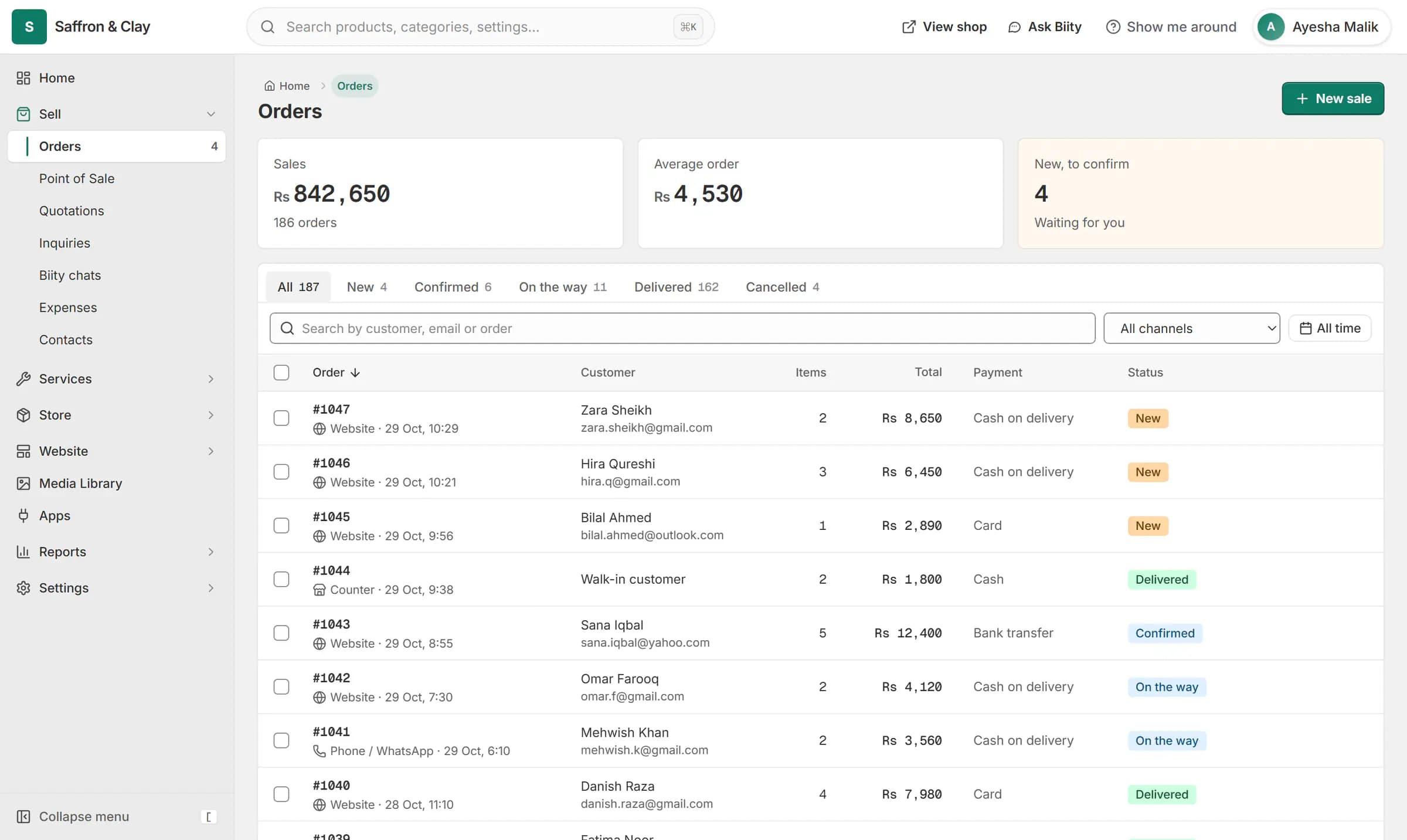
A new website order arrives at the top of the Orders list, the count waiting for you goes up, and the order opens ready to confirm.

Checked twice, decided on the server
The checkout asks for a delivery rate and a payment method, but the server decides what is allowed. A card payment is only possible when your Stripe setup is complete (Stripe does not operate in Pakistan, so most Pakistani shops use cash on delivery), and stock is taken in one step so two people cannot buy the last item.
The cart page itself can be edited in the page builder, for example to add reassurance copy or recommendations, while the cart logic stays fixed.
Works with
- Delivery zones and rates by weight or order value | BiizayDelivery zones and rates: flat, free over an amount, by order value or by weight.
- Cash on delivery (COD) for your online store | BiizayCustomers order now and pay in cash when the parcel arrives.
- Card payments at checkout with Stripe | BiizayCard payments through your own Stripe account, paid straight to you.
- Order management for online and counter sales | BiizayEvery order from your website, counter and phone in one list you can work through quickly.
- Checkout for service bookings, no delivery step | BiizayA shorter checkout for carts that contain only services.
- Stripe app: card payments at checkout | BiizayCard payments through your Stripe account, set up in Payments.
- Online store for clothing and retail shops | BiizayOne stock, one portal for a clothing or retail shop selling online, on social media and at the counter.
Questions
Do customers need an account?
No. Checkout is guest only.
Can I offer discount codes?
Not yet. Discounts can be given on sales at the counter.
What if two people buy the last item?
Stock is checked and taken in a single step, so only one of them gets it.
Try it on your own store.
14-day Pro trial, no card. Everything is in the same account.