

Record what the business spends, by category, paid or unpaid.
What it does
- Record each expense with a category, date, amount and description
- Mark expenses paid or unpaid, one at a time or in bulk
- Each category says whether it is a cost of goods, an operating cost or something else
- Filter and export expenses to CSV
How it works
- Add an expenseOpen Expenses and record the cost.
- Pick a categoryRent, wages, freight or your own categories.
- See the effectExpenses feed your profit & loss report, on plans that include it.
Profit, not just sales.
Profit and loss for the last 30 days: revenue, the cost of what was sold, a 41% gross margin, and net profit after expenses.
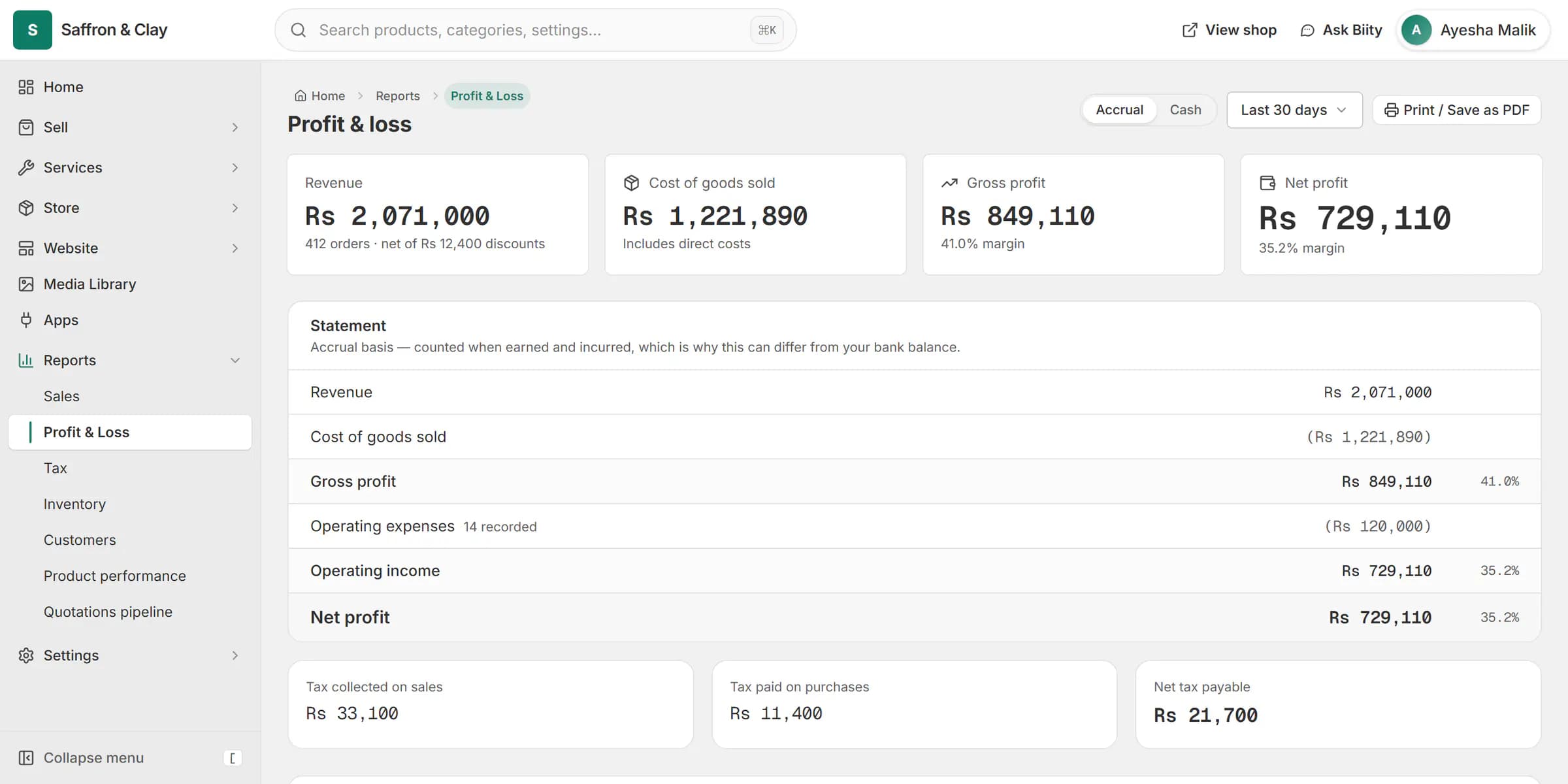
Profit and loss for the last 30 days: revenue, the cost of what was sold, a 41% gross margin, and net profit after expenses.
Category decides where it counts
Inbound freight is part of what your goods cost you; rent is a cost of running the shop. Each category records which it is, so gross margin is not flattered by costs booked in the wrong place.
Works with
Questions
Can I export expenses?
Yes, as CSV.
Can I track unpaid bills?
Yes. Mark an expense unpaid and change it when you pay.
Where do expenses show?
In the profit & loss report, under the right heading for their category. That report is included on some plans; the expenses list itself is on every plan.
Try it on your own store.
14-day Pro trial, no card. Everything is in the same account.