

Online booking and appointment scheduling
Let customers book a time without calling you
Customers choose a time when they book, and the work appears on your schedule.
What it does
- A time picker on the service page for services that need scheduling
- Notice periods stop same-hour bookings you cannot meet
- Buffer time between jobs and a limit on bookings per slot
- A calendar view of every scheduled job in the portal
How it works
- Switch on schedulingOn a service, say it needs a time and set its duration and notice period.
- Customers chooseThey pick a time on the service page and check out or request a quote.
- Work the scheduleBookings appear on Services, then Schedule, as jobs.
A time, a person, a booking.
A client books a facial on the website. The booking lands on the team calendar on Thursday at 14:00, with Sara, and on her Google Calendar.
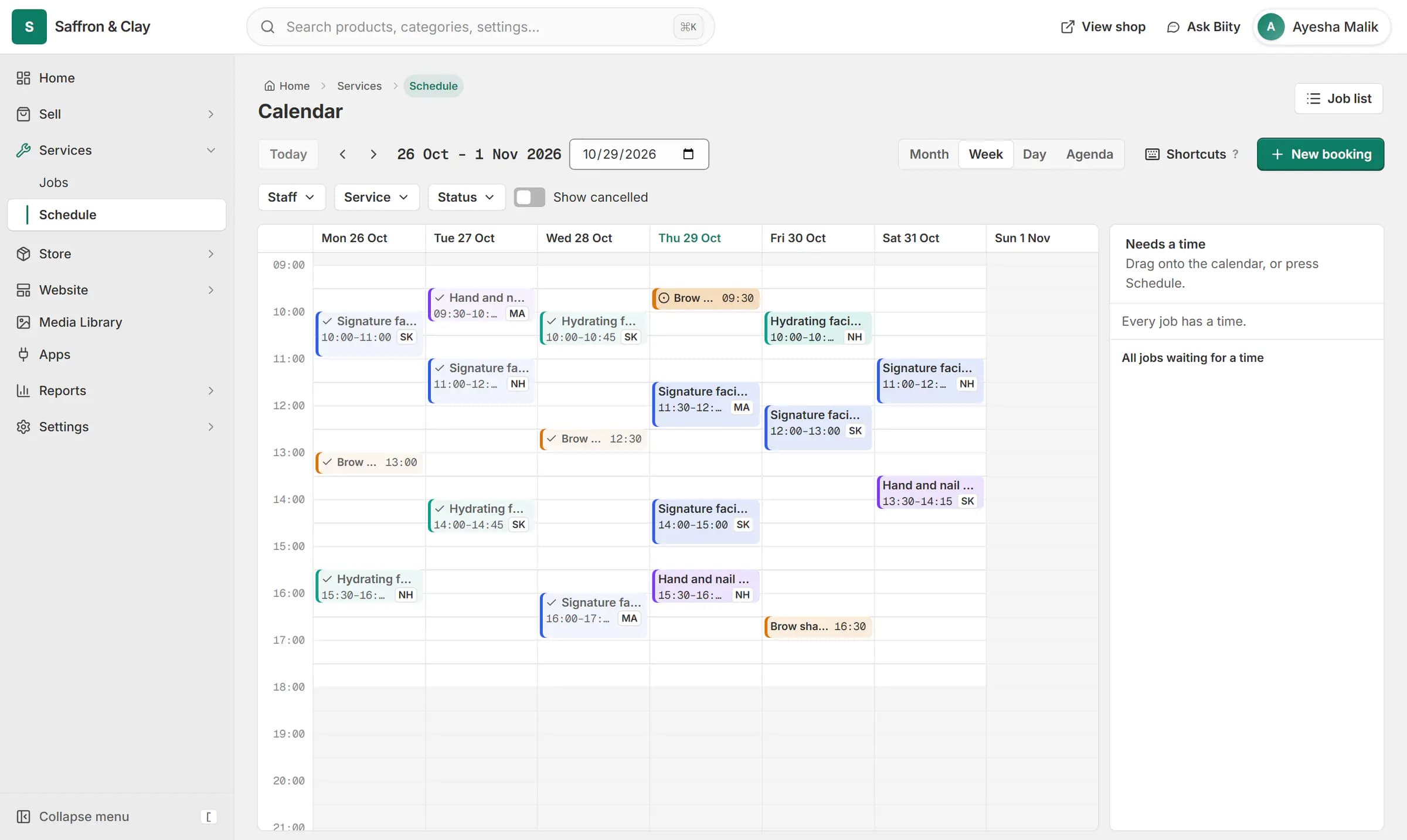
A client books a facial on the website. The booking lands on the team calendar on Thursday at 14:00, with Sara, and on her Google Calendar.

A booked time stays part of the booking
Two bookings of the same service on different days stay two separate lines, never one line with quantity two. Each keeps its own time.
For a quoted service, the customer suggests a time in the quote request. When you accept the quote and turn it into an order, the job arrives already scheduled.
Works with
- Sell services online: fixed, hourly or quoted | BiizayServices with their own pages, priced fixed, hourly or by quote.
- Job tracking and materials for service businesses | BiizayJobs for every service sold, with a status, an assignee and the parts used.
- Checkout for service bookings, no delivery step | BiizayA shorter checkout for carts that contain only services.
- Request a quote button for products and services | BiizayA one-step Request a quote form on product and service pages that lands in your portal.
- Services and jobs app for bookable work | BiizayBookable services, jobs and the schedule, as one tool you can switch on or off.
- Booking website for repair and service businesses | BiizayService pages, bookings, quotes and jobs in one place for trades and repair businesses.
Questions
Can I stop last-minute bookings?
Yes. Set a notice period on the service and earlier times are refused.
Can more than one customer book the same slot?
Set how many bookings a slot can take on each service.
Where do I see bookings?
On the Schedule page under Services, and as jobs in Jobs.
Try it on your own store.
14-day Pro trial, no card. Everything is in the same account.