

Sync bookings to Google Calendar
See every booking in the calendar you already use
Bookings added to, moved in and removed from your own Google Calendar, with optional Meet links.
What it does
- Each booking is added to the Google Calendar you choose
- Rescheduling moves the event and cancelling removes it, or marks it cancelled
- Online bookings can get a Google Meet link, also sent to the customer
- Customer contact details stay out of the event unless you turn them on
How it works
- Connect your Google accountIn Apps, open Google Calendar and sign in with your own Google account.
- Pick a calendarChoose which calendar bookings go into, and your privacy settings.
- Take bookingsNew and changed bookings appear in your calendar by themselves.
A time, a person, a booking.
A client books a facial on the website. The booking lands on the team calendar on Thursday at 14:00, with Sara, and on her Google Calendar.
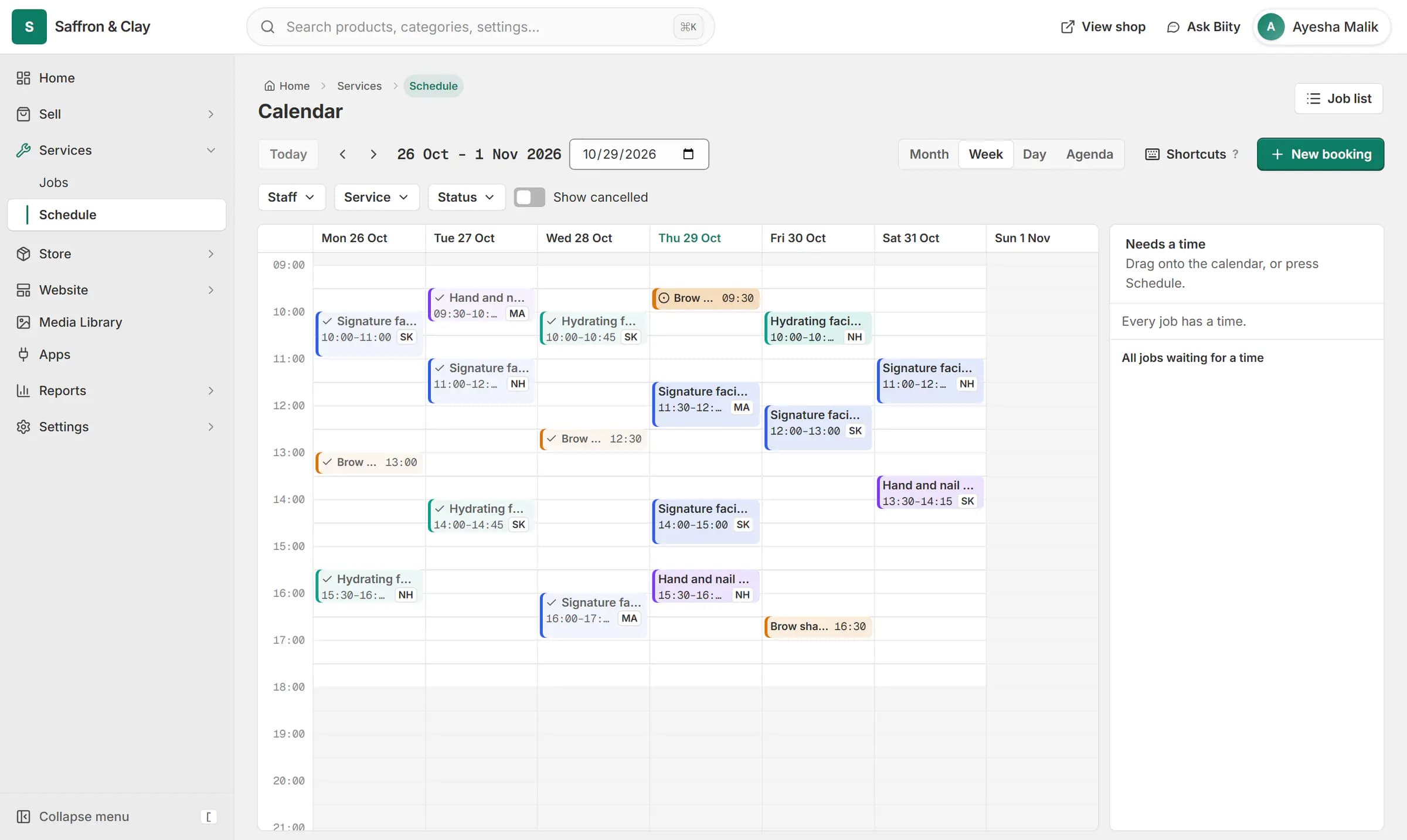
A client books a facial on the website. The booking lands on the team calendar on Thursday at 14:00, with Sara, and on her Google Calendar.

Add appointment bookings to Google Calendar
Bookings made on your shop, at the counter or in the portal calendar go straight into your own Google Calendar, so they show on your phone with your other plans.
Google Meet links for online appointments
For services you hold online, Biizay can add a Google Meet link to the event and to the customer's booking email.
What goes into the event
By default the event shows the service and the customer's first name. Turn on contact details if you want their phone, email, address and notes in it too.
Works with
- Online booking and appointment scheduling | BiizayCustomers choose a time when they book, and the work appears on your schedule.
- Sell services online: fixed, hourly or quoted | BiizayServices with their own pages, priced fixed, hourly or by quote.
- Job tracking and materials for service businesses | BiizayJobs for every service sold, with a status, an assignee and the parts used.
- Store locator with branches, maps and hours | BiizayBranches with maps, opening hours and open-now status, on a locations page, at the counter and in bookings.
- Google Calendar app: bookings in your calendar | BiizayBookings kept in step with your own Google Calendar, with optional Meet links.
- Services and jobs app for bookable work | BiizayBookable services, jobs and the schedule, as one tool you can switch on or off.
- Booking website for repair and service businesses | BiizayService pages, bookings, quotes and jobs in one place for trades and repair businesses.
Questions
Does it work with my personal Gmail calendar?
Yes. You connect your own Google account and pick any calendar you can add events to.
What happens when a booking is cancelled?
The event is removed, or kept and marked Cancelled if you prefer.
Do I need the Services app?
Yes. Google Calendar works with bookings from Services & jobs.
Does a change in Google Calendar move the booking in Biizay?
No. Changes go from Biizay to Google. Reschedule in Biizay and the event follows.
Try it on your own store.
14-day Pro trial, no card. Everything is in the same account.