

Store locator with branches, maps and hours
Show customers where to find you and when you are open
Branches with maps, opening hours and open-now status, on a locations page, at the counter and in bookings.
What it does
- A locations page listing every branch with a map, address and phone
- An open now or closed badge from each branch's own opening hours
- Visitors can find the branch nearest to them
- Point of sale, bookings and orders record which branch they belong to
How it works
- Add your branchesIn Settings, Branches, add each branch's address and drop a pin on the map.
- Set opening hoursGive each branch its hours, or let it use your shop's hours.
- Go liveYour shop gets a locations page, and each branch gets a page of its own.
An order comes in. You see it first.
A new website order arrives at the top of the Orders list, the count waiting for you goes up, and the order opens ready to confirm.
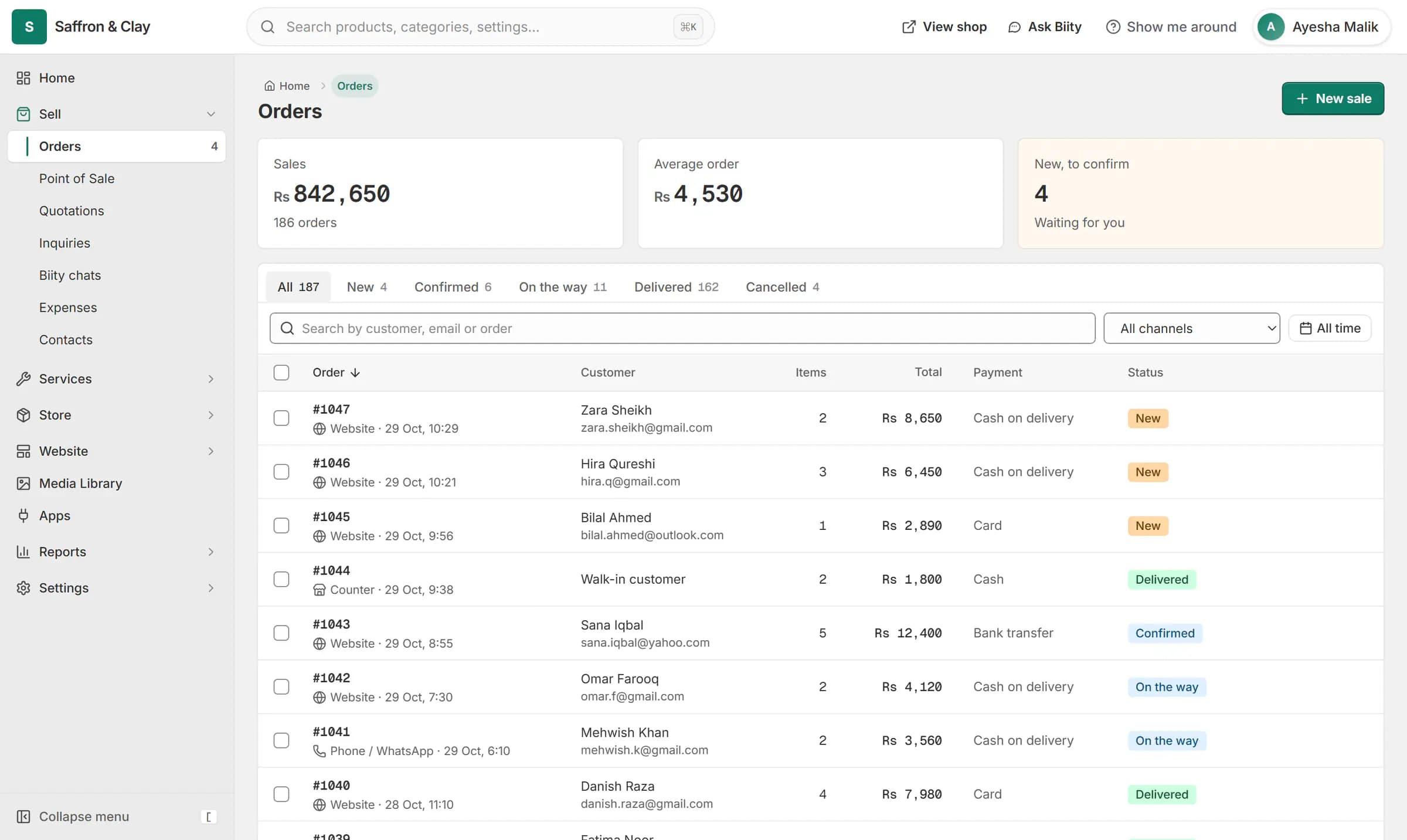
A new website order arrives at the top of the Orders list, the count waiting for you goes up, and the order opens ready to confirm.

A store locator page for every branch
Add your branches once and your shop gains a locations page with a map and a list. Each branch has its own page with its address, phone, hours and directions, which helps people searching for a branch near them.
Open now, from each branch's hours
Each branch shows open now or closed, worked out in your shop's time zone from the hours you saved. A branch without saved hours shows no badge rather than a guess.
Branches at the counter and in bookings
At the counter and in the calendar you pick the branch, so reports, kitchen orders and booking slots stay per branch.
Delivery zones for each branch
Works with
- Delivery zones, pickup and dine-in ordering | BiizayDelivery zones drawn on a map, minimum orders, pickup, dine-in and scheduled orders, per branch.
- Online booking and appointment scheduling | BiizayCustomers choose a time when they book, and the work appears on your schedule.
- Update Google Business Profile hours from your shop | BiizayYour Google Maps listing beside your shop's details, with hours and closures sent when you press Send.
- Point of sale (POS) for small shops | BiizayRing up products, bundles and services at the counter from the same stock your shop sells.
- Contact page with an enquiry form and inbox | BiizayA contact page with a working form, and an inbox for every message it brings.
- Website and counter sales for cafés and restaurants | BiizayA menu website, delivery orders and counter sales in one list, for a café or small restaurant.
- Booking website for repair and service businesses | BiizayService pages, bookings, quotes and jobs in one place for trades and repair businesses.
Questions
How do I add a store locator to my website?
Add your branches in Settings, Branches. The locations page appears on your shop by itself once at least one branch is active.
Can each branch have different opening hours?
Yes. Each branch can have its own hours, or use your shop's hours.
Does it show which branch is open now?
Yes, from each branch's saved hours, in your shop's time zone.
Do I need a Google Maps key?
No. Maps are drawn with OpenStreetMap.
Try it on your own store.
14-day Pro trial, no card. Everything is in the same account.