

Update Google Business Profile hours from your shop
Keep your Google Maps hours right
Beta
Your Google Maps listing beside your shop's details, with hours and closures sent when you press Send.
What it does
- Shows your Google Maps details beside your shop's own
- Points out where your opening hours differ
- Sends your hours and holiday closures to Google when you press Send
- Post a short update to your listing
How it works
- Connect your Google accountSign in with the Google account that manages your listing and pick your business.
- CompareSee your Google hours next to the hours saved in your shop.
- SendPress Send to update Google. Nothing changes there without you.
Found on Google and Bing, without the homework.
Google Search Console inside Biizay: clicks from Google are up 26%, and the next page to improve is named with the clicks it could win.
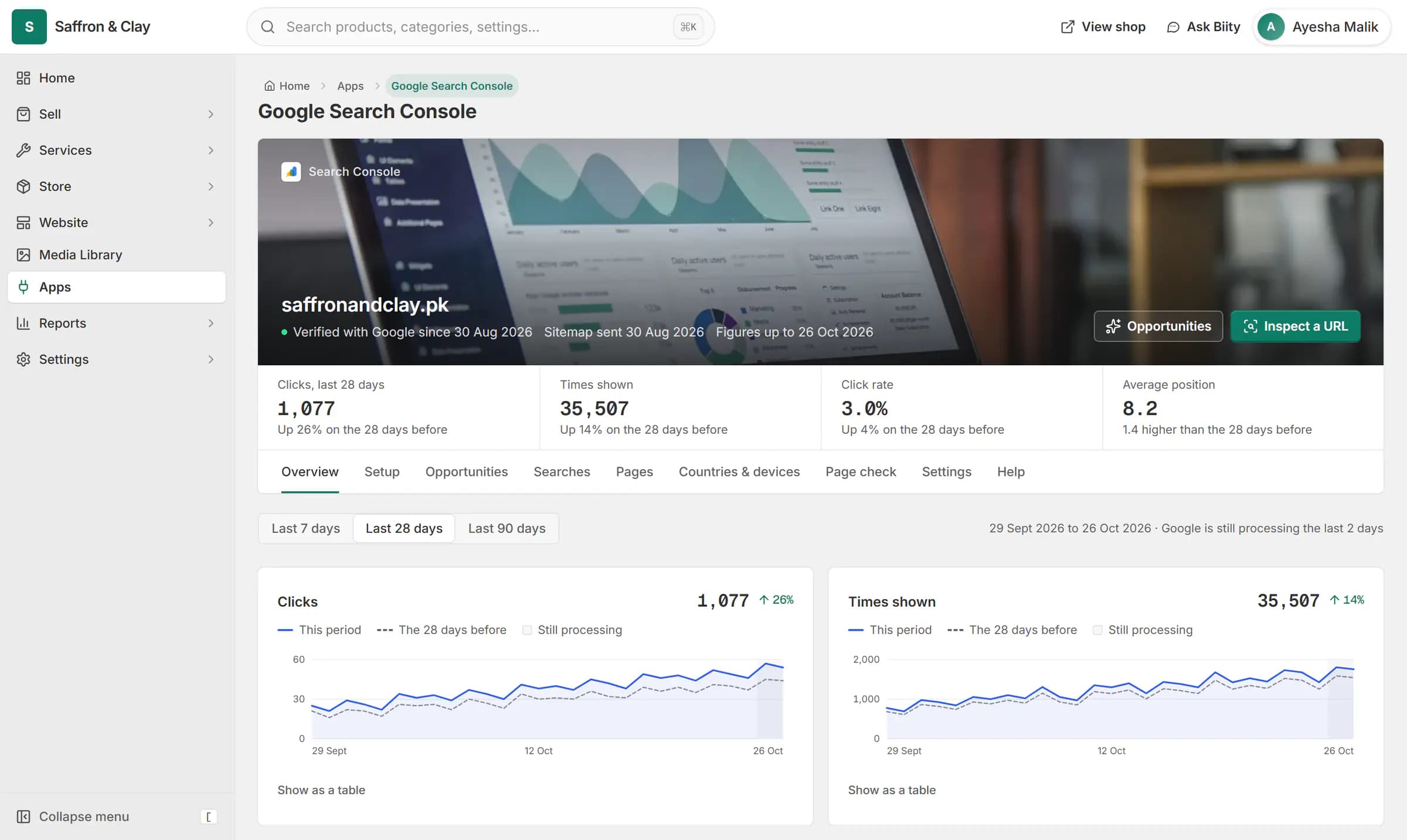
Google Search Console inside Biizay: clicks from Google are up 26%, and the next page to improve is named with the clicks it could win.



Keep Google Maps opening hours up to date
Wrong hours on Google Maps send customers to a closed door. Biizay compares the hours on your listing with the hours saved in your shop and tells you where they differ.
Holiday closures, sent once
Holiday closures you save in Biizay for the coming months go to Google with your hours. Special days you set on Google yourself are kept.
Works with
- Store locator with branches, maps and hours | BiizayBranches with maps, opening hours and open-now status, on a locations page, at the counter and in bookings.
- Google Search Console set up for your store | BiizaySearch Console verified and your sitemap submitted for you, with the figures in your portal.
- Online booking and appointment scheduling | BiizayCustomers choose a time when they book, and the work appears on your schedule.
- Google Business Profile app: Maps listing hours | BiizayYour Google Maps listing beside your shop, with hours sent to Google when you choose.
- Website and counter sales for cafés and restaurants | BiizayA menu website, delivery orders and counter sales in one list, for a café or small restaurant.
- Booking website for repair and service businesses | BiizayService pages, bookings, quotes and jobs in one place for trades and repair businesses.
Questions
How do I update my business hours on Google?
Once the app is on for your shop, connect the Google account that manages your listing, check the hours Biizay shows, and press Send.
Will Biizay change my listing without asking?
No. Hours go to Google only when you press Send.
Is it available now?
It is waiting for Google's approval. The app in your portal shows coming soon until then.
Try it on your own store.
14-day Pro trial, no card. Everything is in the same account.