

Delivery zones, pickup and dine-in ordering
Charge the right delivery fee for every address
Delivery zones drawn on a map, minimum orders, pickup, dine-in and scheduled orders, per branch.
What it does
- Draw delivery zones on a map, each with a fee, a free-over amount and a minimum order
- Offer delivery, pickup and dine-in from each branch
- Customers order now or for a later time within your opening hours
- Biizay works out the zone and fee from the customer's location at checkout
How it works
- Add a branchAdd your branch with its address, opening hours and how it takes orders.
- Draw your zonesDraw each delivery area on the map and set its fee, minimum and free-delivery amount.
- Customers check outThey choose delivery, pickup or dine-in, and the fee and minimum are applied for them.
An order comes in. You see it first.
A new website order arrives at the top of the Orders list, the count waiting for you goes up, and the order opens ready to confirm.
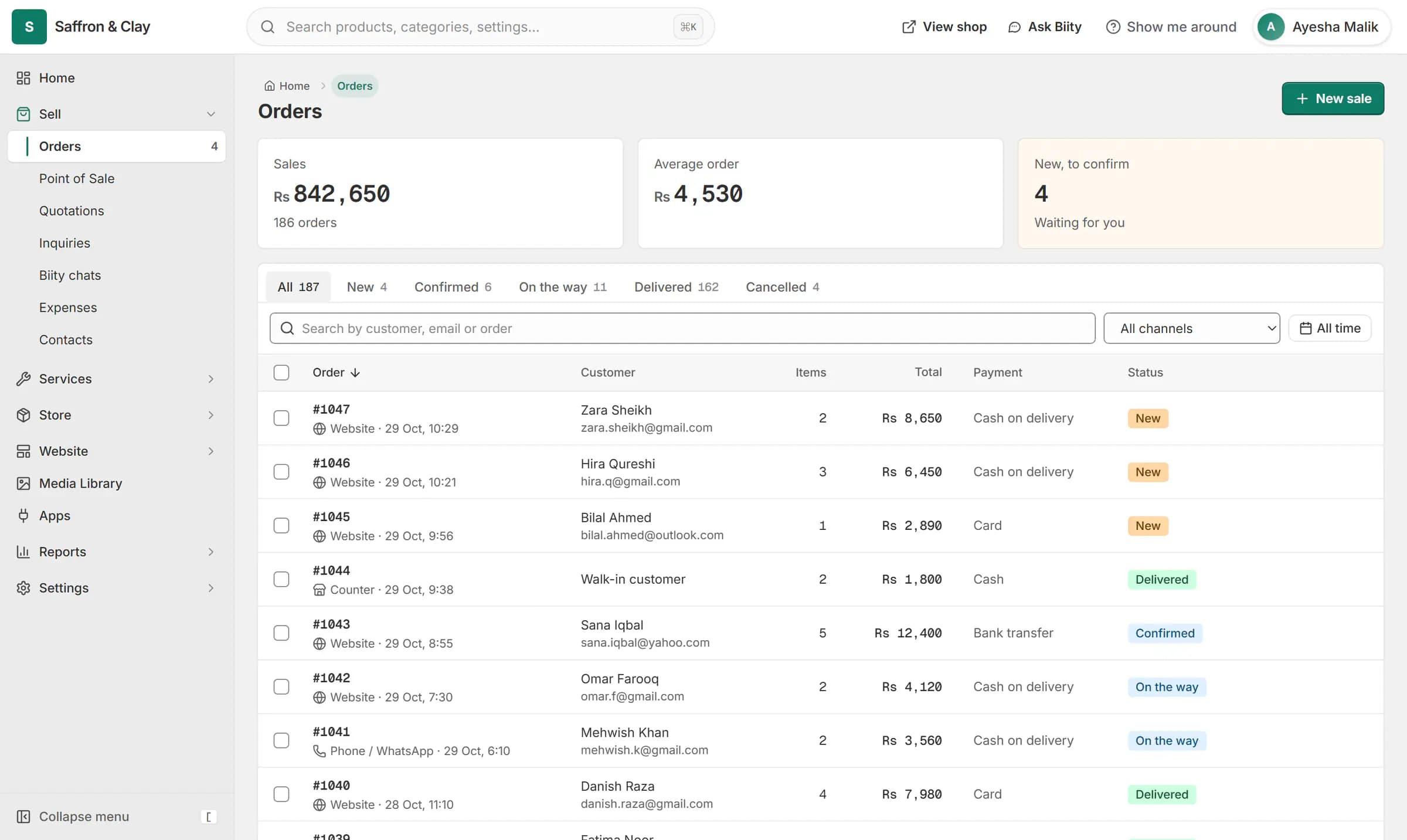
A new website order arrives at the top of the Orders list, the count waiting for you goes up, and the order opens ready to confirm.

Delivery zones with their own fee and minimum
Draw an area on the map and give it a delivery fee, say Rs 150, free delivery over Rs 2,000 and a minimum order of Rs 800. A wider zone can carry a higher fee. The fee and the minimum are checked again when the order is placed, so a customer cannot pick a cheaper zone.
Pickup and dine-in orders
Pickup orders need no address. Dine-in orders, part of the Restaurant & menu app, take a table number and go straight to the kitchen board.
Order ahead for later
Once your opening hours are saved, customers can order for a later time slot, and a closed branch offers the next opening time instead of taking an order nobody will cook.
Works with
- Store locator with branches, maps and hours | BiizayBranches with maps, opening hours and open-now status, on a locations page, at the counter and in bookings.
- Delivery zones and rates by weight or order value | BiizayDelivery zones and rates: flat, free over an amount, by order value or by weight.
- Kitchen display board for restaurant orders | BiizayA live kitchen screen for pickup, delivery and dine-in orders, with stages, sound and a customer tracking link.
- Restaurant online ordering menu with add-ons | BiizayAn online menu with choice groups on each dish, food labels and allergens, and sold out today.
- Shopping cart and guest checkout for your store | BiizayA cart and a guest checkout that offer only the delivery and payment options you set.
- Restaurant & menu app: choices and kitchen board | BiizayMenu choices, food labels, a kitchen board and dine-in orders for food businesses.
- Website and counter sales for cafés and restaurants | BiizayA menu website, delivery orders and counter sales in one list, for a café or small restaurant.
Questions
How do I set a minimum order for delivery?
Set it on each delivery zone. A customer below the minimum is told how much more they need before they can check out.
Can I offer free delivery over a certain amount?
Yes. Each zone can have its own free-delivery amount.
What happens if the address is outside my zones?
Delivery is not offered for that address, and the customer can choose pickup instead.
Can customers order for later?
Yes, once your branch's opening hours are saved. They choose a time slot inside those hours.
Try it on your own store.
14-day Pro trial, no card. Everything is in the same account.