

Restaurant online ordering menu with add-ons
Take food orders online with every choice priced right
An online menu with choice groups on each dish, food labels and allergens, and sold out today.
What it does
- Choice groups on a dish: size, extras, a drink with the meal, required or optional
- Each choice can add to the price and take a drink or side off its own stock
- Food labels and allergens from a fixed list, shown on the menu
- Mark a dish sold out for the rest of today in one tap
How it works
- Turn on Restaurant & menuIn Apps, turn on Restaurant & menu. Shops that do not sell food leave it off.
- Add choice groupsCreate groups such as Size or Extras once and attach them to the dishes they belong to.
- Take ordersCustomers pick their choices before adding a dish to the cart, and the kitchen sees exactly what they chose.
An order comes in. You see it first.
A new website order arrives at the top of the Orders list, the count waiting for you goes up, and the order opens ready to confirm.
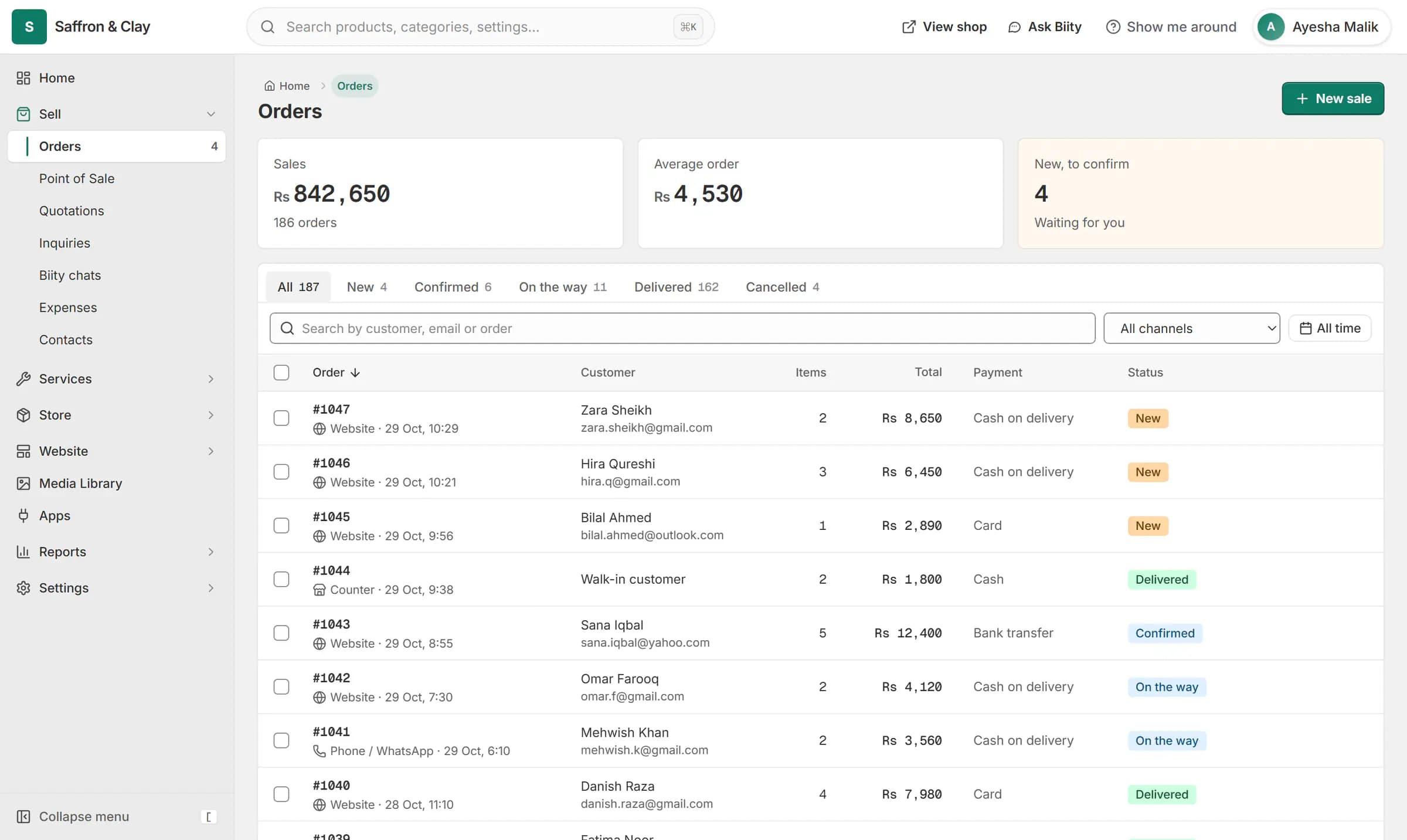
A new website order arrives at the top of the Orders list, the count waiting for you goes up, and the order opens ready to confirm.

A restaurant online ordering system on your own website
Your menu lives on your own shop, so customers order from you directly. Each dish can carry the choices it needs, and the price updates as they pick: a large size adds Rs 200, extra cheese adds Rs 120, a drink with the meal comes from your drinks stock.
Menu choices, extras and meal deals
A choice group can be required (pick a size) or optional (add extras), with a minimum and maximum. The order records every choice and its price, so receipts and reports match what was cooked.
Allergens and food labels
Show labels such as vegetarian, spicy or halal, and allergens from a fixed list. Halal is shown as your own statement about your food.
Sold out today
When a dish runs out, mark it sold out for the rest of the day. It cannot be ordered online or at the counter, and it comes back by itself the next morning in your shop's time zone.
Works with
- Kitchen display board for restaurant orders | BiizayA live kitchen screen for pickup, delivery and dine-in orders, with stages, sound and a customer tracking link.
- Delivery zones, pickup and dine-in ordering | BiizayDelivery zones drawn on a map, minimum orders, pickup, dine-in and scheduled orders, per branch.
- Store locator with branches, maps and hours | BiizayBranches with maps, opening hours and open-now status, on a locations page, at the counter and in bookings.
- Point of sale (POS) for small shops | BiizayRing up products, bundles and services at the counter from the same stock your shop sells.
- Sale price and product labels for your shop | BiizayWas prices with the saving shown, Hot deal, New and Limited labels, and best seller from real sales.
- Restaurant & menu app: choices and kitchen board | BiizayMenu choices, food labels, a kitchen board and dine-in orders for food businesses.
- Website and counter sales for cafés and restaurants | BiizayA menu website, delivery orders and counter sales in one list, for a café or small restaurant.
Questions
Can customers choose a size and extras on a dish?
Yes. Add choice groups such as Size and Extras to the dish. Each choice can change the price, and required groups must be picked before the dish goes in the cart.
Do I pay a commission on each order?
Biizay does not take a commission on your restaurant's orders. Your plan price is listed on the pricing page, and card payments carry your payment provider's own fees.
Can I show allergens on my menu?
Yes. Pick allergens and food labels from the fixed list on each dish and they show on your menu and product pages.
What happens when a dish sells out?
Mark it sold out for today. It cannot be ordered until the next day starts in your shop's time zone, or until you switch it back.
Try it on your own store.
14-day Pro trial, no card. Everything is in the same account.