

Sale price and product labels for your shop
Show real sales and new arrivals on every product card
Was prices with the saving shown, Hot deal, New and Limited labels, and best seller from real sales.
What it does
- Enter a was price and the product shows the saving, such as Sale 16% off
- Label products Hot deal, New or Limited; New turns off by itself after 30 days
- Best seller is worked out from what actually sold in the last 90 days
- Product widgets can show only your hot deals or only items on sale
How it works
- Edit a productOpen a product and enter its was price, or tick a label.
- SaveThe sale badge and labels appear on product cards and the product page.
- Feature themAdd a product widget set to on sale or hot deals to any page.
An order comes in. You see it first.
A new website order arrives at the top of the Orders list, the count waiting for you goes up, and the order opens ready to confirm.
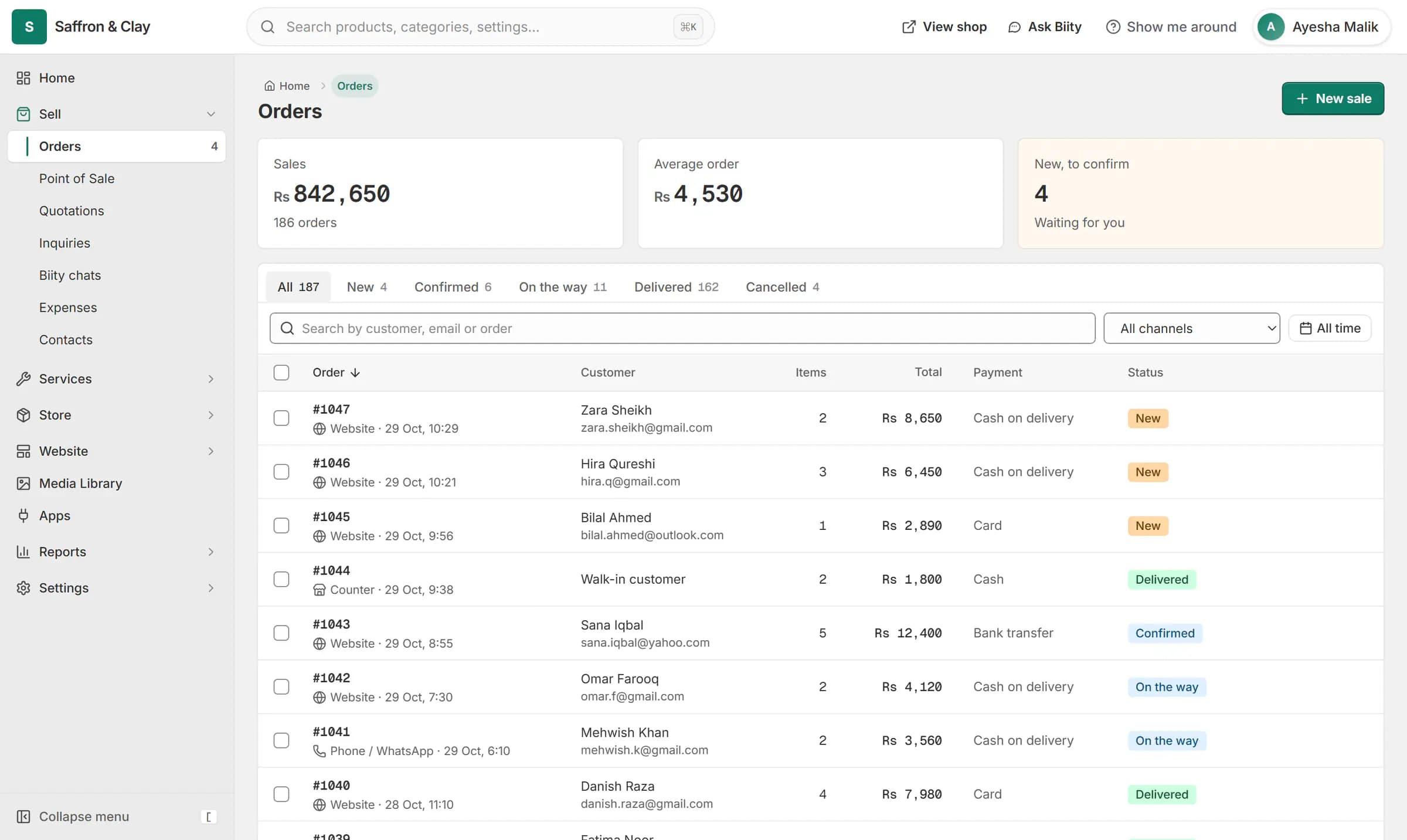
A new website order arrives at the top of the Orders list, the count waiting for you goes up, and the order opens ready to confirm.

Show a sale price with the was price
Enter a was price above the current price and the product shows both, with the saving. A shirt at Rs 2,500, was Rs 3,000, shows Sale 16% off. The saving is rounded down, so it is never overstated, and the was price must be higher than the price you sell at.
New, Hot deal and Limited labels
Tick a label on the product. New stops showing by itself 30 days after you add it. A card shows at most two badges, so it stays readable.
Best seller, from real sales
Nobody types in Best seller. Biizay gives it to the few products that sold most in the last 90 days, and it moves as your sales change.
Post your sale to Facebook and Instagram
Works with
- Product variants: sizes, colours and custom options | BiizaySizes, colours and any extra option you need, each variant with its own stock and SKU.
- Product bundles and gift sets for your shop | BiizaySell several products as one set, with stock taken from the real items inside.
- Schedule Facebook and Instagram posts for your shop | BiizayPost and schedule to your Facebook Page and Instagram from Biizay, with templates, designed images and reels.
- Drag-and-drop website page builder | BiizayA drag-and-drop editor for every page of your site, with a live preview at three screen sizes.
- Online store builder for small businesses | BiizayA complete online shop on its own address, ready for products the day you sign up.
- Online store for clothing and retail shops | BiizayOne stock, one portal for a clothing or retail shop selling online, on social media and at the counter.
Questions
How do I show a sale price on a product?
Open the product and enter a was price higher than its price. The saving appears on the card and the product page.
Can I show the percentage off?
Yes. Biizay shows the saving as a percentage, rounded down.
How does a product become a best seller?
From its real sales over the last 90 days. You cannot set it by hand.
Do sale prices show for services?
For fixed-price services, yes. Hourly and quoted services do not carry a was price.
Try it on your own store.
14-day Pro trial, no card. Everything is in the same account.