

Kitchen display board for restaurant orders
Show the kitchen every order the moment it comes in
A live kitchen screen for pickup, delivery and dine-in orders, with stages, sound and a customer tracking link.
What it does
- Orders appear in New, Preparing, Ready and Done columns, per branch
- A sound when a new order arrives, on any screen with a browser
- Each order shows its items, choices, table or delivery and ready time
- Customers follow a tracking link and get an email as their order moves
How it works
- Open the boardTurn on Restaurant & menu and open Kitchen on a screen in the kitchen. Choose your branch.
- Move each orderTap an order to move it from New to Preparing, Ready and Done.
- Customers follow alongTheir tracking page and emails update as the order moves.
An order comes in. You see it first.
A new website order arrives at the top of the Orders list, the count waiting for you goes up, and the order opens ready to confirm.
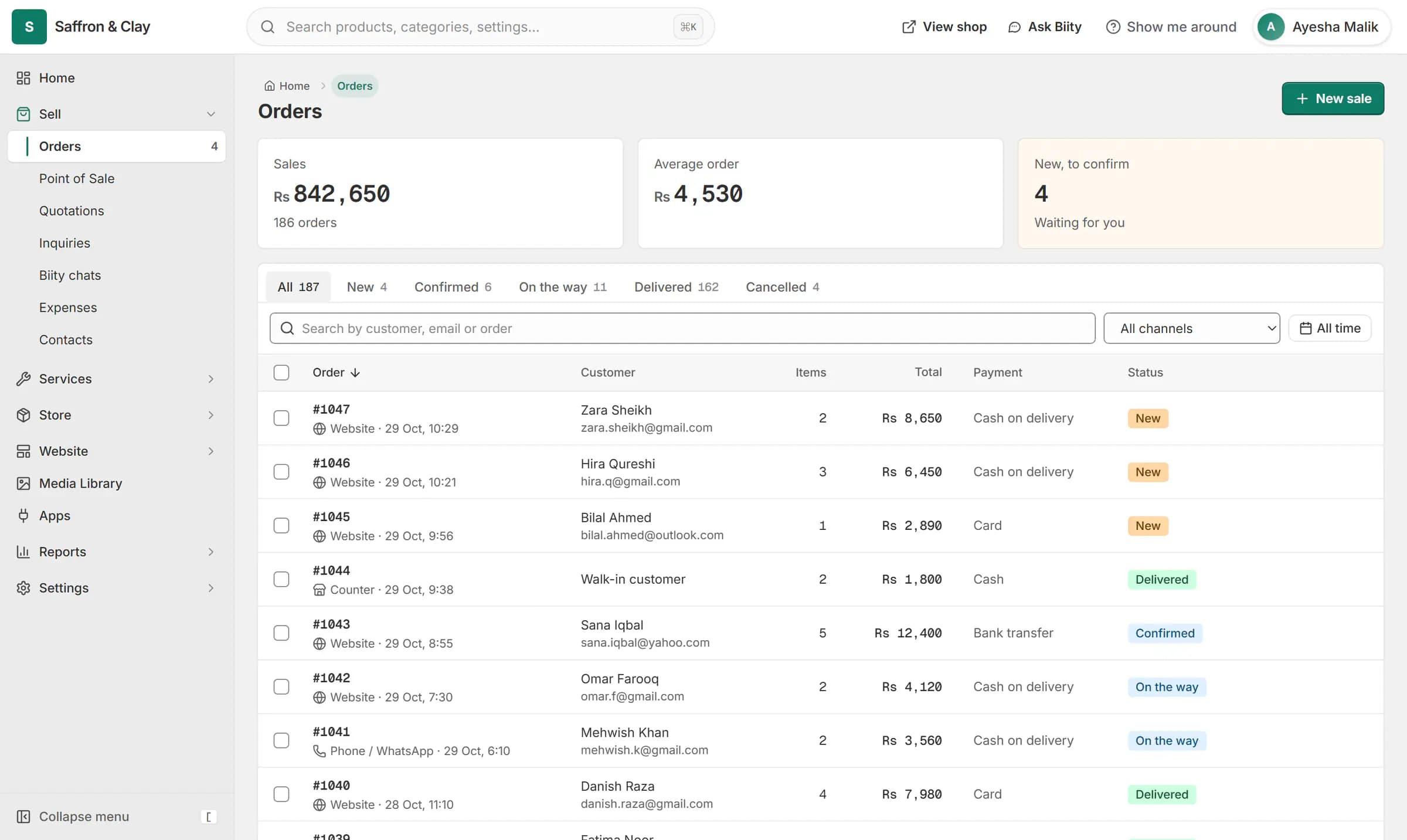
A new website order arrives at the top of the Orders list, the count waiting for you goes up, and the order opens ready to confirm.

A kitchen display system in your browser
The kitchen board replaces paper tickets with a live screen. It runs in a web browser, so a tablet, a laptop or a TV with a browser is enough. Online orders and counter orders for pickup, delivery or dine-in arrive on it as they are placed.
Order stages and the sound alert
Press Enable sound once and each new order plays a sound. Moving an order along also moves the order itself, so the order list, the customer and the kitchen agree on where it is.
An order tracking link for customers
Every kitchen order gets a private tracking link. The customer sees whether it is being prepared, ready for pickup or on its way, and gets an email at the moments that matter.
Menus with choices and allergens
Works with
- Restaurant online ordering menu with add-ons | BiizayAn online menu with choice groups on each dish, food labels and allergens, and sold out today.
- Delivery zones, pickup and dine-in ordering | BiizayDelivery zones drawn on a map, minimum orders, pickup, dine-in and scheduled orders, per branch.
- Store locator with branches, maps and hours | BiizayBranches with maps, opening hours and open-now status, on a locations page, at the counter and in bookings.
- Order management for online and counter sales | BiizayEvery order from your website, counter and phone in one list you can work through quickly.
- Point of sale (POS) for small shops | BiizayRing up products, bundles and services at the counter from the same stock your shop sells.
- Restaurant & menu app: choices and kitchen board | BiizayMenu choices, food labels, a kitchen board and dine-in orders for food businesses.
- Website and counter sales for cafés and restaurants | BiizayA menu website, delivery orders and counter sales in one list, for a café or small restaurant.
Questions
Do I need special hardware for the kitchen screen?
No. Any screen with a modern web browser works: a tablet, laptop or a TV with a browser.
Can counter orders go to the kitchen too?
Yes. A counter sale for pickup, delivery or dine-in can be sent to the kitchen board.
Can each branch have its own board?
Yes. The board shows one branch at a time.
Do customers see where their order is?
Yes. Each kitchen order has a tracking link that shows its stage.
Try it on your own store.
14-day Pro trial, no card. Everything is in the same account.