

WhatsApp Business inbox and order updates
Answer WhatsApp customers next to their orders
Beta
Your WhatsApp Business number in your portal: one inbox, replies, approved templates and opt-in order confirmations.
What it does
- One inbox in your portal for your WhatsApp Business number
- Reply with text, photos and files from your media library
- Approved message templates for when 24 hours have passed
- Order confirmations on WhatsApp for customers who tick the box at checkout
- Link each chat to the customer, their order or their quote
How it works
- Connect your numberIn Apps, open WhatsApp Business and connect your own number through Meta's sign-up window.
- Answer from the inboxNew messages arrive in the portal. Reply, attach a photo, or link the chat to an order.
- Turn on order updatesPick an approved template and the confirmation goes to customers who asked for it.
An order comes in. You see it first.
A new website order arrives at the top of the Orders list, the count waiting for you goes up, and the order opens ready to confirm.
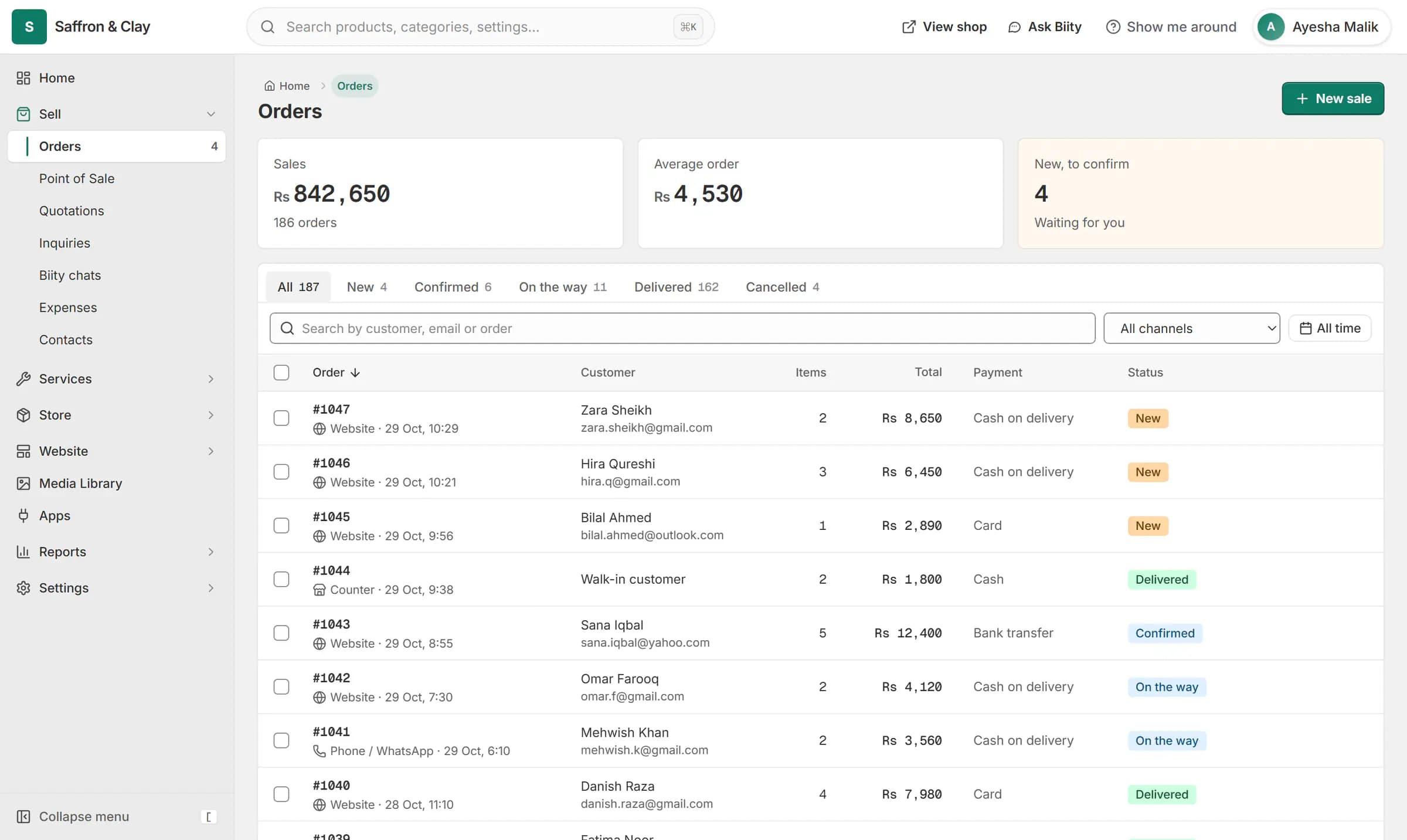
A new website order arrives at the top of the Orders list, the count waiting for you goes up, and the order opens ready to confirm.

Answer WhatsApp customers from your portal
Customers write to your own WhatsApp Business number and the conversation appears in your Biizay portal, where you can see their orders and quotes beside it. Staff with access to orders can read and reply, so you are not passing one phone around.
WhatsApp order confirmation messages
At checkout, customers see an unticked box asking whether they want order updates on WhatsApp. Only those who tick it get the confirmation, sent with a template Meta has approved. A card order is confirmed once the payment has gone through.
The 24-hour rule
WhatsApp lets a business reply freely for 24 hours after the customer's last message. After that, only an approved template can start the conversation again. The inbox shows which of the two applies to each chat.
How orders move from placed to delivered
Order emails sent as your shop
Works with
- Order management for online and counter sales | BiizayEvery order from your website, counter and phone in one list you can work through quickly.
- Order and shipping emails for your customers | BiizayOrder, enquiry and receipt emails to your customers, sent as your shop.
- Send quotations customers accept online | BiizayPriced quotes emailed with an accept link, then turned into orders in one step.
- Cash on delivery (COD) for your online store | BiizayCustomers order now and pay in cash when the parcel arrives.
- WhatsApp Business app: inbox and order updates | BiizayYour WhatsApp Business number in the portal: inbox, templates and opt-in order confirmations.
- Online store for clothing and retail shops | BiizayOne stock, one portal for a clothing or retail shop selling online, on social media and at the counter.
- Website and counter sales for cafés and restaurants | BiizayA menu website, delivery orders and counter sales in one list, for a café or small restaurant.
Questions
Can I use my existing WhatsApp number?
You connect your own WhatsApp Business number through Meta. A number already used in the WhatsApp Business phone app may need moving to the platform first, following Meta's steps.
How do I send an order confirmation on WhatsApp?
Choose an approved template in the app's settings and match its fields to the order. Confirmations then go to every customer who ticked the WhatsApp box at checkout.
Why can't I reply to an old chat?
WhatsApp only allows free replies within 24 hours of the customer's last message. After that, send an approved template.
Who can read the chats?
Staff whose role lets them see orders. You choose how long chats are kept, from 1 to 36 months.
Try it on your own store.
14-day Pro trial, no card. Everything is in the same account.