

Move your store from Shopify or WooCommerce
Move your catalogue without retyping it
Bring your products over from another site or a spreadsheet with BiiConnect, as drafts you check first.
What it does
- Reads the public pages of a Shopify, WooCommerce or Squarespace shop you own
- Reads a product export file, such as a Shopify or WooCommerce CSV
- Creates products as drafts, with names, descriptions, prices, options and photos
- Skips products already brought over, so running it again adds no copies
How it works
- Connect your AI appConnect ChatGPT, Claude or another AI app to your shop with BiiConnect.
- Point it at your old shopGive it your old shop's address, or upload your product export.
- Check the draftsProducts arrive as drafts. Check prices and photos, then publish.
Ask in plain words. Check the drafts.
Asked in ChatGPT to put the new arrivals online, BiiConnect makes three draft products in Biizay with their photos and prices. Nothing goes live until they are checked and published.
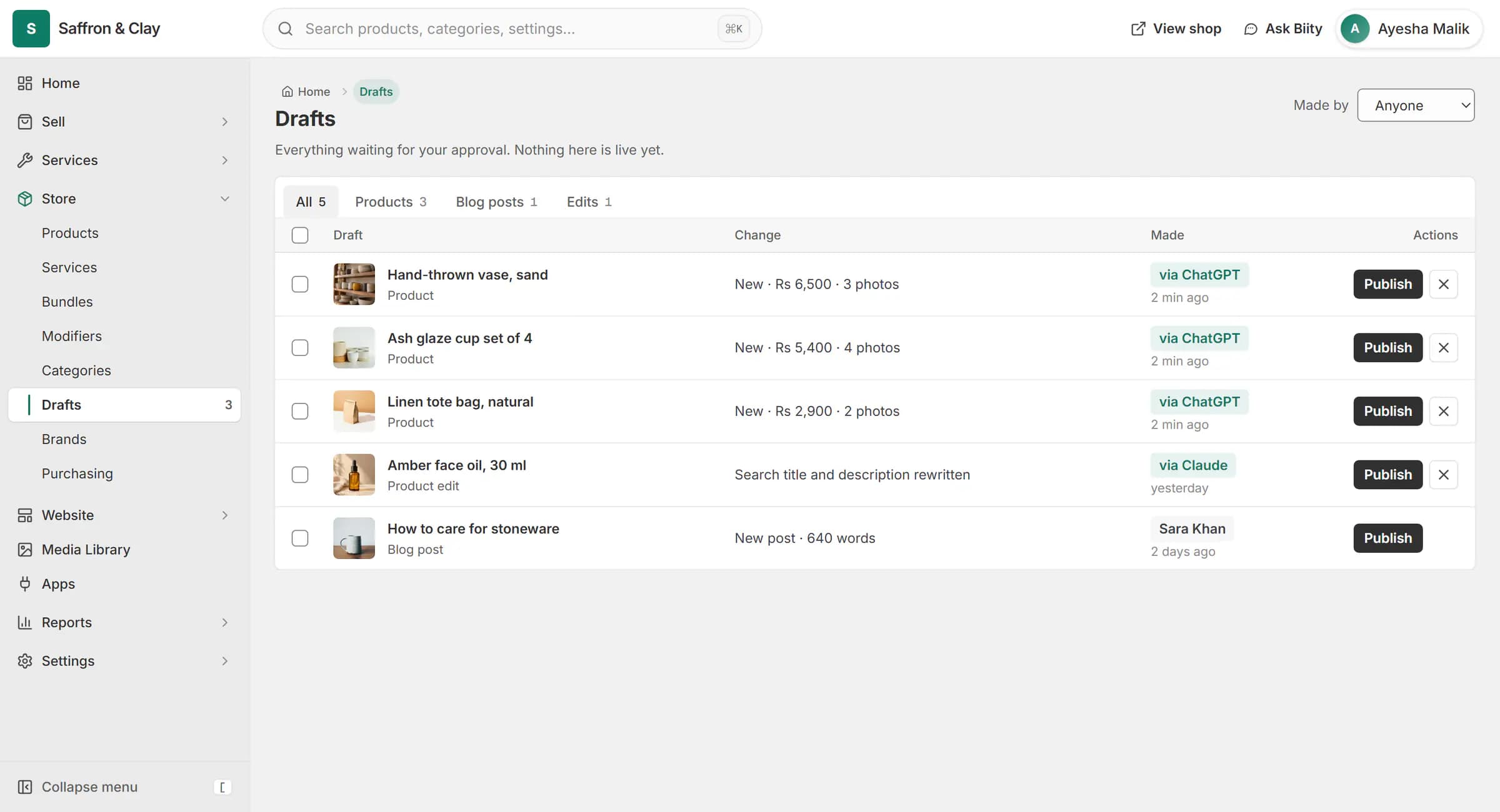
Asked in ChatGPT to put the new arrivals online, BiiConnect makes three draft products in Biizay with their photos and prices. Nothing goes live until they are checked and published.

Migrate products from Shopify to Biizay
Use the migration prompt in BiiConnect and your AI app reads your old shop's public product pages, a page at a time, and creates each product in Biizay as a draft. Nothing goes live until you publish it.
Import products from a CSV file
If your old site blocks automated reading, export your products as a CSV file and upload it through a link your AI app gives you. Shopify and WooCommerce exports are understood, and other spreadsheets work with matching columns.
What you check before publishing
Your AI app asks which currency your old prices were in, rather than guessing, and copies descriptions as they were. Products that already exist, by address, code or name, are skipped and listed so you can see what happened.
Works with
- Run your store from ChatGPT or Claude | BiiConnectConnect ChatGPT, Claude or another AI app to your store, with live changes waiting for your approval by default.
- Redirects and broken links (404) for your shop | BiizayRedirects for old addresses, a 404 watcher for broken links, and redirects suggested when you rename a page.
- Online store builder for small businesses | BiizayA complete online shop on its own address, ready for products the day you sign up.
- Product variants: sizes, colours and custom options | BiizaySizes, colours and any extra option you need, each variant with its own stock and SKU.
- BiiConnect app: AI app connections and Drafts | BiizayConnections, activity and an on-off switch for AI apps on your store.
- Redirects app: keep old links working | BiizayPermanent redirects for old addresses, suggested when you rename something.
Learn it
- Connect ChatGPT or Claude with BiiConnectLet your AI app help run your store, with every live change waiting for your OK.
- Set up your store: the first hourThe handful of settings that turn a new Biizay account into a shop customers can trust.
- WooCommerce vs Biizay: which suits a store in Pakistan?WooCommerce or Biizay for a business in Pakistan: hosting, payments, POS, services and upkeep compared, including where WooCommerce is the better pick.
- Selling on Daraz vs your own website: which is better?Daraz or your own online store? Fees, customers, branding and delivery compared for Pakistani sellers, and why many do best running both side by side.
Questions
How do I move my store from Shopify?
Connect your AI app with BiiConnect, start the migration prompt and give it your Shopify shop's address or a product CSV export. Products arrive as drafts for you to check.
Can I import products from WooCommerce?
Yes, from your shop's public pages or from a WooCommerce product export file.
Will it bring over my orders and customers?
No. It brings over products. Orders and customers stay in your old system.
What if I run it twice?
Products already brought over are skipped, so you will not get copies.
Does it keep my old links working?
Not by itself. Use the Redirects app to send your old addresses to the new pages.
Try it on your own store.
14-day Pro trial, no card. Everything is in the same account.