

Automatic sitemaps, robots.txt and llms.txt
Tell search engines and AI tools what is on your shop
A self-updating sitemap, an editable robots.txt and an llms.txt for every store.
What it does
- A sitemap index with one sitemap each for pages, products, services, categories, posts and legal pages
- Every address in the sitemap carries a real last-changed date, and products list their images
- Edit your robots.txt in Settings, with a safe default for most shops
- An llms.txt file that maps your store for AI assistants, built from your live data
How it works
- Nothing to set upSitemaps and llms.txt are created from your live pages and products.
- They stay currentAdding, renaming or hiding a product updates them on their own.
- Adjust robots.txt if neededMost shops never change it; the editor is in Settings.
Found on Google and Bing, without the homework.
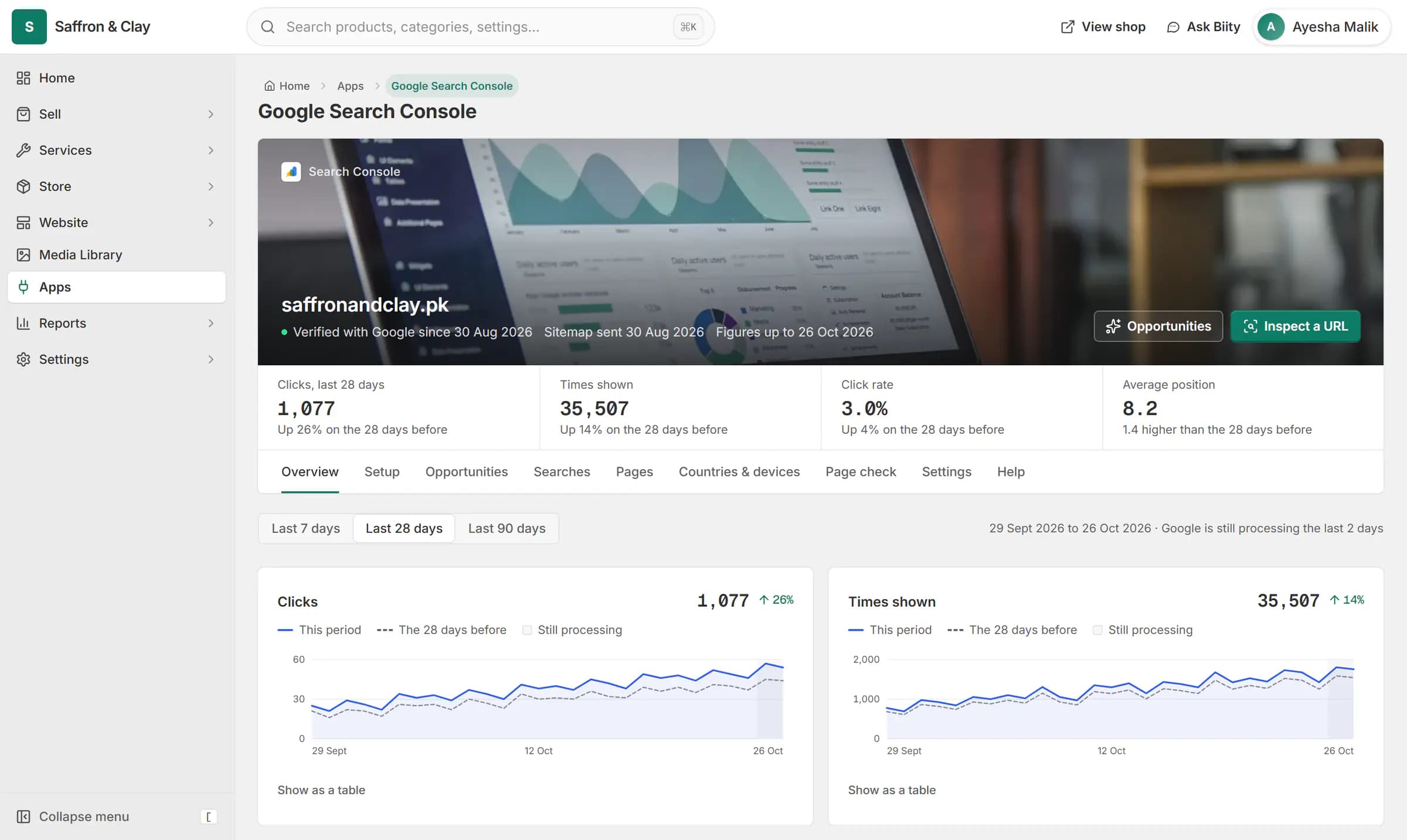
Google Search Console inside Biizay: clicks from Google are up 26%, and the next page to improve is named with the clicks it could win.
Google Search Console inside Biizay: clicks from Google are up 26%, and the next page to improve is named with the clicks it could win.



On the address your shop lives at
Your sitemap is at /sitemap.xml on your shop's own address. If you have connected a domain, it lists addresses on that domain.
Hidden and draft pages, and categories with nothing on sale, are left out, so search engines are only pointed at pages that work.
Works with
- Ecommerce SEO built into every store page | BiizayTitles, descriptions, share images and structured data on every page, without plugins.
- IndexNow: tell Bing about changes within a minute | BiizayChanges on your shop are reported to Bing and other IndexNow engines within a minute.
- Google Search Console set up for your store | BiizaySearch Console verified and your sitemap submitted for you, with the figures in your portal.
- IndexNow app: instant updates to Bing | BiizayChange notifications to Bing and other IndexNow engines, on by default.
- Google Search Console app for your store | BiizayYour Google search figures, set up for you and shown in tabs.
Questions
Where is my sitemap?
At /sitemap.xml on your shop's address.
Do I need to resubmit it after adding products?
No. It updates itself, and Search Console is told about it for you.
Can I block a page from search engines?
Edit robots.txt in Settings. Most shops do not need to.
Try it on your own store.
14-day Pro trial, no card. Everything is in the same account.