

Quick quantity buttons on product pages
Let customers pick a common quantity in one tap
One-tap quantity choices on the product page and at the counter, without a price rule.
What it does
- Add quick quantity choices such as 1, 10 or Full box (100) to a product
- Shown on the product page and at the point of sale
- The price is the unit price times the quantity, with no hidden rule
- Never offers more than the stock you hold
How it works
- Edit a productOpen the product and add the quantities customers usually buy.
- Name them if you likeGive a choice a name, such as Full box, or leave it as a number.
- Shoppers tap oneThe quantity is filled in, and they can still type their own.
An order comes in. You see it first.
A new website order arrives at the top of the Orders list, the count waiting for you goes up, and the order opens ready to confirm.
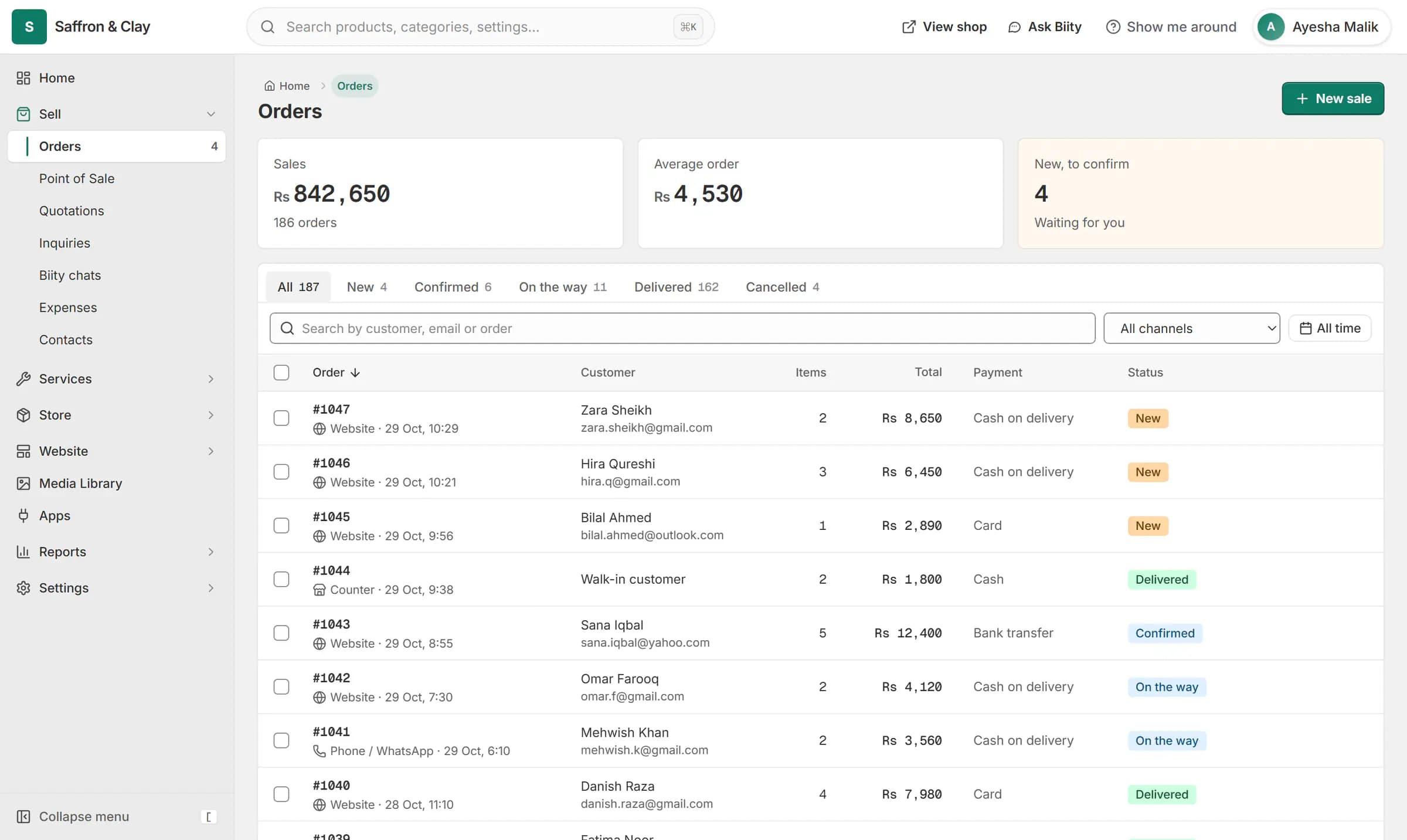
A new website order arrives at the top of the Orders list, the count waiting for you goes up, and the order opens ready to confirm.

Quantity buttons for bulk orders
Customers who buy in round numbers should not have to tap plus fifty times. Add the quantities they usually buy and they appear as buttons next to the quantity box.
Not a discount rule
A quick quantity only fills in the number. The line total is the unit price times the quantity, the same as if the customer had typed it. For a cheaper price per piece, sell a pack size instead.
Works with
- Sell by the piece, pack or box from one stock | BiizaySell one item in several pack sizes that all draw from a single stock count.
- Product variants: sizes, colours and custom options | BiizaySizes, colours and any extra option you need, each variant with its own stock and SKU.
- Point of sale (POS) for small shops | BiizayRing up products, bundles and services at the counter from the same stock your shop sells.
- Price on request: a quote-only B2B catalogue | BiizayList real products without public prices, and take quote requests instead of orders.
- Quote-only catalogue for B2B and medical suppliers | BiizayA searchable catalogue with price on request, for suppliers who quote each buyer.
Questions
Do quick quantities change the price?
No. The price is the unit price times the quantity.
Are they the same as pack sizes?
No. A pack size is its own option with its own price. A quick quantity only fills in the number of single pieces.
Can a customer still enter another quantity?
Yes. The buttons are shortcuts; the quantity box still works.
Try it on your own store.
14-day Pro trial, no card. Everything is in the same account.