

Bing Webmaster Tools set up for your store
See how people find your shop on Bing
Bing Webmaster Tools verified for you, with your Bing clicks and searches in the portal.
What it does
- Verifies your shop with Bing for you
- Submits your sitemap to Bing
- Clicks, impressions and the searches that found you, updated twice a day
- Works alongside IndexNow, which sends Bing your changes
How it works
- Turn it onIn Apps, turn on Bing Webmaster Tools.
- Biizay connects itYour shop is verified and its sitemap sent, with no Bing account needed.
- Read the figuresOpen the app for clicks, impressions and top searches.
Found on Google and Bing, without the homework.
Google Search Console inside Biizay: clicks from Google are up 26%, and the next page to improve is named with the clicks it could win.
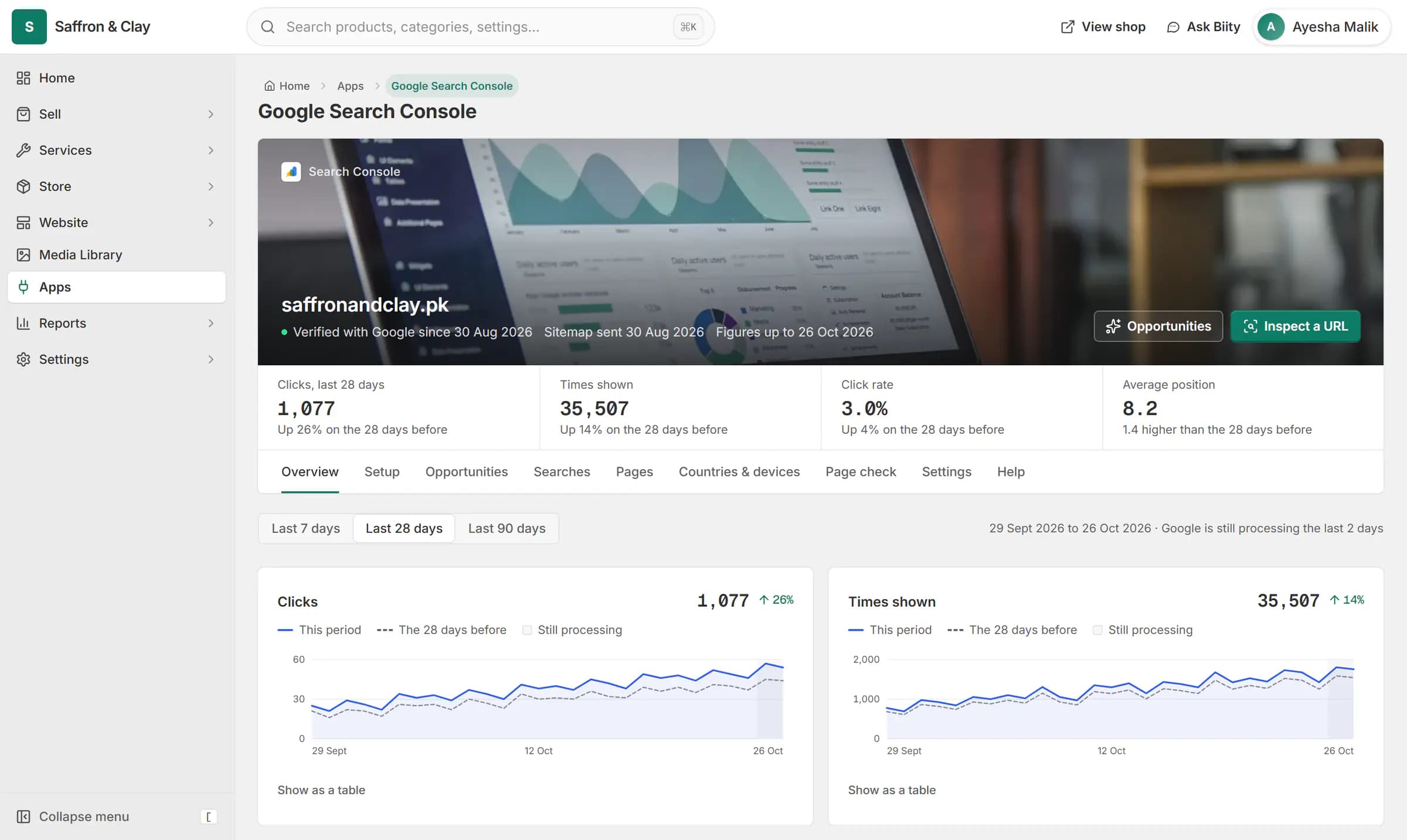
Google Search Console inside Biizay: clicks from Google are up 26%, and the next page to improve is named with the clicks it could win.


Bing Webmaster Tools without the setup
Biizay has its own access to Bing Webmaster Tools. Turn the app on and Biizay adds your shop, verifies it and submits your sitemap.
Your Bing search figures
Clicks, impressions and the searches that showed your pages come back twice a day and appear in the app.
Works with
- IndexNow: tell Bing about changes within a minute | BiizayChanges on your shop are reported to Bing and other IndexNow engines within a minute.
- Google Search Console set up for your store | BiizaySearch Console verified and your sitemap submitted for you, with the figures in your portal.
- Automatic sitemaps, robots.txt and llms.txt | BiizayA self-updating sitemap, an editable robots.txt and an llms.txt for every store.
- Ecommerce SEO built into every store page | BiizayTitles, descriptions, share images and structured data on every page, without plugins.
- Bing Webmaster Tools app: Bing search figures | BiizayBing verification, sitemap and search figures, connected for you.
- IndexNow app: instant updates to Bing | BiizayChange notifications to Bing and other IndexNow engines, on by default.
Questions
Do I need a Bing account?
No. Biizay connects your shop with its own access.
How is it different from IndexNow?
IndexNow tells Bing when a page changes. Bing Webmaster Tools shows how people find you on Bing.
How often do figures update?
Twice a day.
Try it on your own store.
14-day Pro trial, no card. Everything is in the same account.