

Store currency and sales tax settings
Price in your own currency and charge tax the same way everywhere
One base currency for every price, and one tax rate added the same way everywhere.
What it does
- A currency list that includes PKR, AED, SAR, USD, GBP and EUR, plus any other code and symbol you enter
- One tax rate, added at checkout and on counter sales
- Set the symbol shown next to prices, or leave it blank for the usual one
- On plans with advanced reports, the tax report shows your taxable sales and the tax collected for any period
How it works
- Pick a currencyIn Settings, open Tax and currency and choose your store's currency.
- Set the tax rateEnter the percentage you charge, or leave it at zero.
- Check your pricesIf you changed currency, check your prices: they are relabelled, not converted.
An order comes in. You see it first.
A new website order arrives at the top of the Orders list, the count waiting for you goes up, and the order opens ready to confirm.
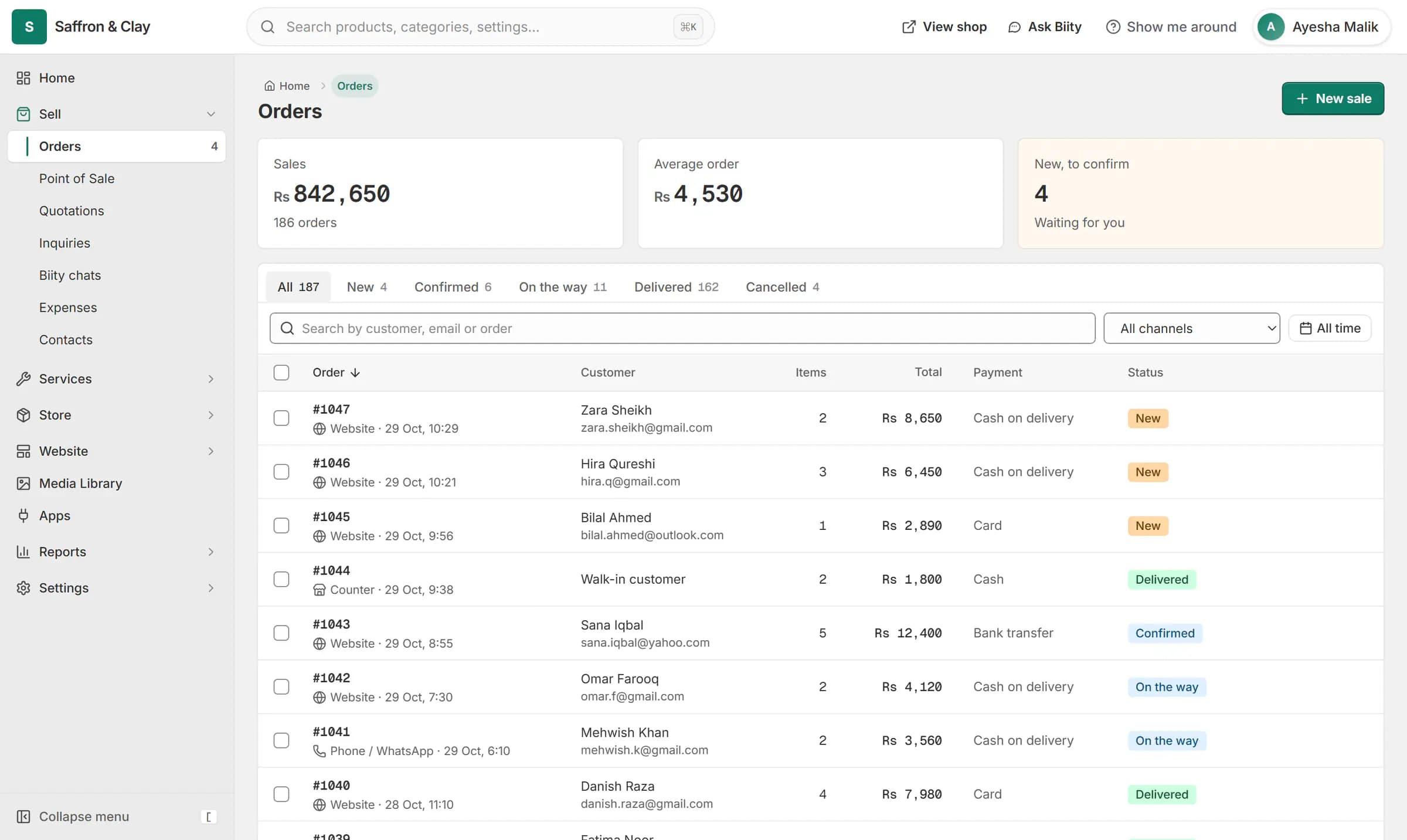
A new website order arrives at the top of the Orders list, the count waiting for you goes up, and the order opens ready to confirm.

One currency per store
Every price on a store is held in one base currency. Pakistani rupee prices are shown without decimals. If you change the currency later, the numbers stay the same and only the label changes, so check your prices after switching.
Works with
- Shopping cart and guest checkout for your store | BiizayA cart and a guest checkout that offer only the delivery and payment options you set.
- Point of sale (POS) for small shops | BiizayRing up products, bundles and services at the counter from the same stock your shop sells.
- Profit and loss and tax reports for small business | BiizayNet profit after cost of goods and expenses, and the tax you collected.
Questions
Can I sell in more than one currency?
Each store has one currency. All its prices are shown in it.
Is my currency missing?
Choose Other and enter its code and symbol.
Is tax added to my prices?
The rate you set is added at checkout and at the counter.
Try it on your own store.
14-day Pro trial, no card. Everything is in the same account.