
Meta Pixel for Facebook and Instagram ads
Measure what your Facebook and Instagram ads sell
Your Meta Pixel on every page, with standard shop events sent.
What it does
- Loads your pixel on every storefront page from its ID
- Sends page views and standard events: view content, add to cart, initiate checkout, purchase
- Also sends leads and searches
- No customer details are sent
How it works
- Find your pixel IDCopy it from Meta Events Manager.
- Save it in BiizayOpen the Meta Pixel app and paste the ID.
- Run your adsMeta can now see which ads lead to carts and purchases.
Found on Google and Bing, without the homework.
Google Search Console inside Biizay: clicks from Google are up 26%, and the next page to improve is named with the clicks it could win.
saffronandclay.pk/portal/apps/search-console
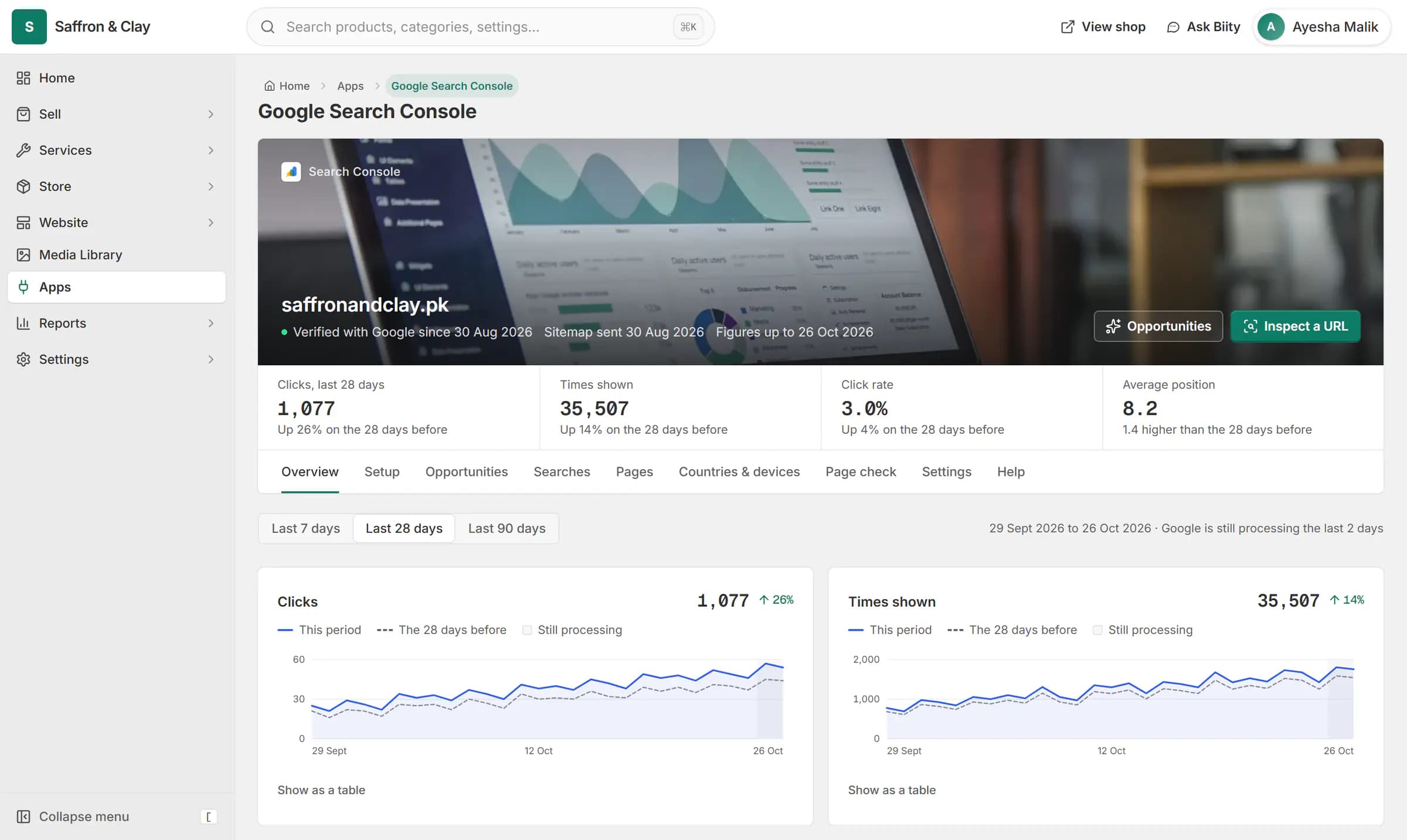
Google Search Console inside Biizay: clicks from Google are up 26%, and the next page to improve is named with the clicks it could win.



Ads you can measure
Many shops in Pakistan and the Gulf find customers on Instagram and Facebook first. The pixel tells Meta which ads led to a purchase, so you can spend on the ones that work.
Works with
- Google Tag Manager on your online store | BiizayYour Tag Manager container on every page, fed with shop events.
- Google Analytics 4 for your online store | BiizayYour own Google Analytics 4, with shop events sent and the figures shown in your portal.
- Meta Pixel app: add your pixel ID | BiizayOne field for your Meta Pixel ID.
- Online store for clothing and retail shops | BiizayOne stock, one portal for a clothing or retail shop selling online, on social media and at the counter.
Questions
Where do I find my pixel ID?
In Meta Events Manager. It is a long number.
Does it track purchases?
Yes. A completed order sends a Purchase event.
Are customer emails sent to Meta?
No.
Try it on your own store.
14-day Pro trial, no card. Everything is in the same account.