

Product categories, subcategories and brands
Help shoppers find things the way they think
Organise your catalogue into categories and subcategories, and tag products by brand.
What it does
- Categories and subcategories, each with its own page, image and description
- Category pages live at short addresses such as /kitchen-tools
- Empty categories hide themselves from shoppers until they hold an active product
- Brands label each product with its maker, which also goes into its search markup
How it works
- Create categoriesAdd categories, and nest subcategories under a parent.
- Add brandsList the makers you stock, or create one straight from the product form.
- Assign productsPick a category and brand on each product. Pages update on their own.
An order comes in. You see it first.
A new website order arrives at the top of the Orders list, the count waiting for you goes up, and the order opens ready to confirm.
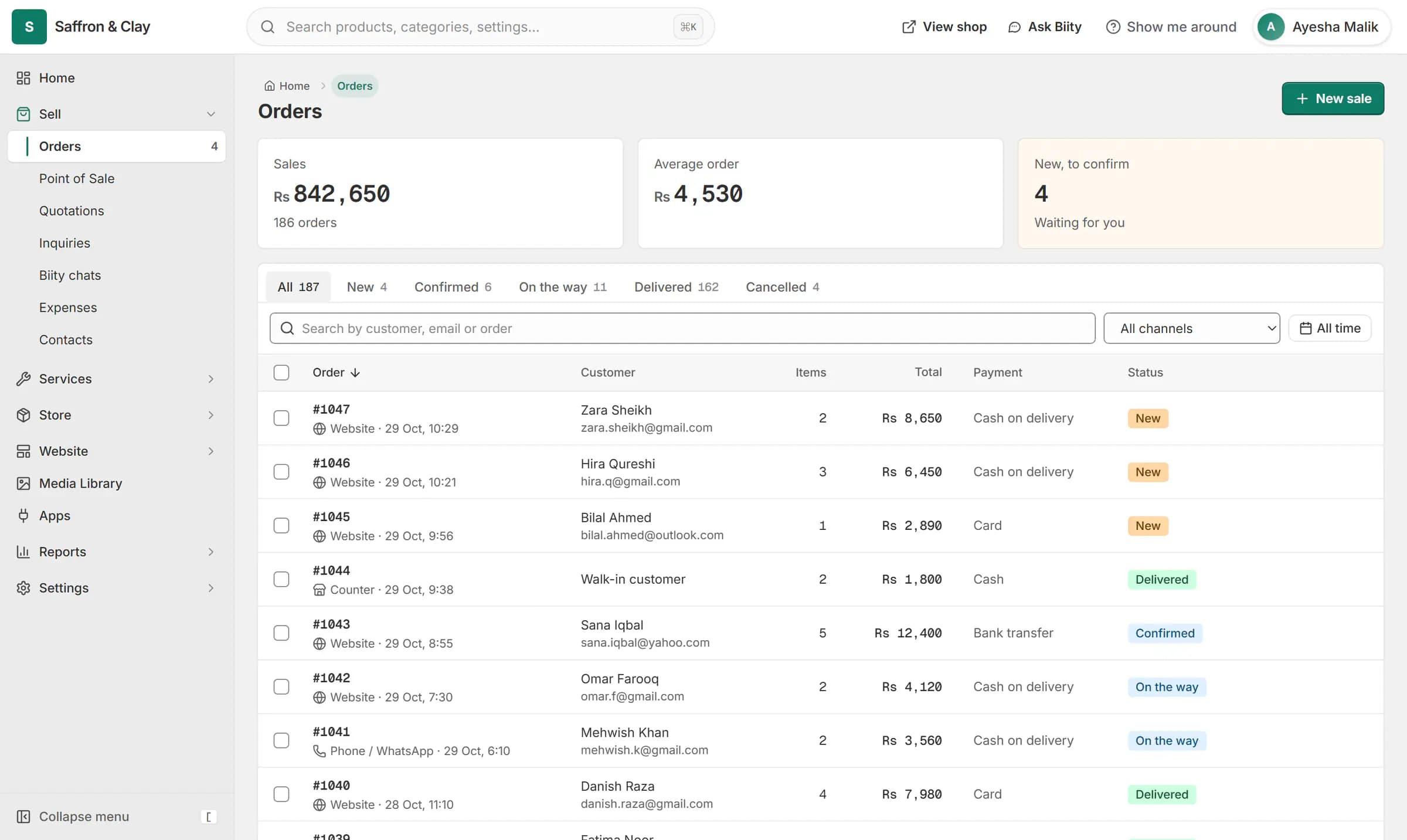
A new website order arrives at the top of the Orders list, the count waiting for you goes up, and the order opens ready to confirm.

Pages that look after themselves
You do not build a page for each category. Biizay lists the right products, hides a category with nothing on sale, and adds category pages to your sitemap.
You can create a category or brand from inside the product form, so adding a new line never means abandoning a half-filled product.
Works with
- Online store builder for small businesses | BiizayA complete online shop on its own address, ready for products the day you sign up.
- Ecommerce SEO built into every store page | BiizayTitles, descriptions, share images and structured data on every page, without plugins.
- Website header, footer and menu builder | BiizayHeader, footer and navigation menus you edit like any other page.
- Quote-only catalogue for B2B and medical suppliers | BiizayA searchable catalogue with price on request, for suppliers who quote each buyer.
- Online store for clothing and retail shops | BiizayOne stock, one portal for a clothing or retail shop selling online, on social media and at the counter.
Questions
Can I nest categories?
Yes. A category can sit under a parent, and the parent page shows what is in its subcategories.
Why can't a customer see my new category?
A category shows only once it, or a subcategory, holds an active product.
Can I delete a brand that products use?
Not while products carry it. Move them to another brand first.
Try it on your own store.
14-day Pro trial, no card. Everything is in the same account.